
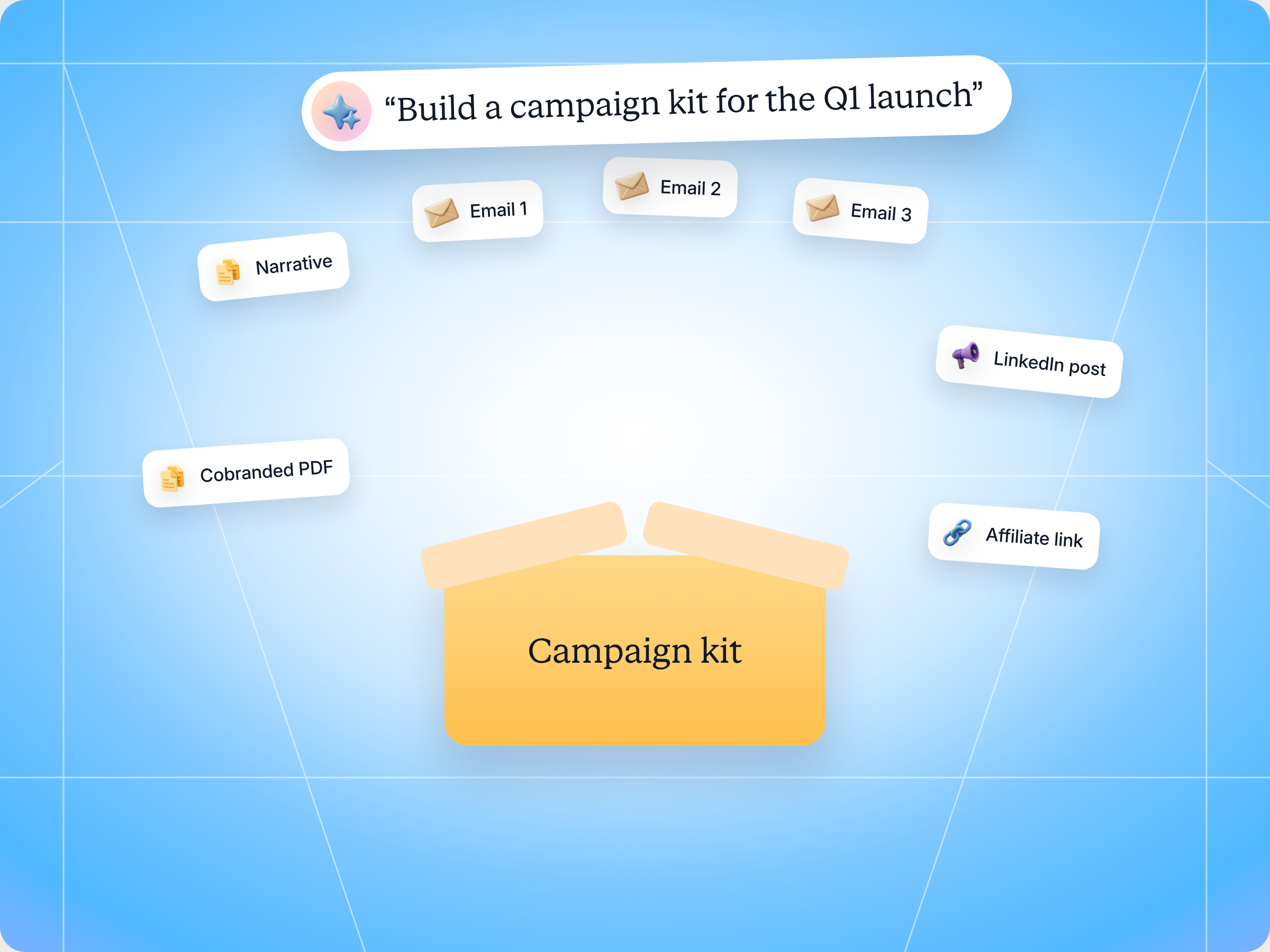
A campaign in a box only works if partners can launch it in the tools they already use, and if every click comes back to you. The Campaign Kit Builder skill packages your narrative, positioning, email sequence, social copy and cobranded collateral into one AI readable kit, wires in affiliate links and forms for attribution, picks the right partner segment, ties the kit to an incentive and drafts the launch announcement. You review and approve before anything goes out. The full SKILL.md is below, free to copy, with install steps, prompts to try and an example of what you'll get back.
Here's a number worth sitting with. According to the channel marketing benchmark Introw cites in its campaigns and announcements playbook, 96% of B2B marketers expect to increase the revenue they get from channel partners. Most of them won't, because their partners never run the campaigns built for them.
You've probably seen it happen. Your marketing team spends three weeks on a launch. Emails, a landing page, social media posts, a one pager. You drop it all into the partner portal, send an announcement, and wait. A handful of partners download something. One sends a single email with your old logo on it. Nobody can tell you which partner drove which lead.
So what's actually broken? Is it the partners, the content, or the way it reaches them?
This guide covers what a good campaign in a box looks like for through channel marketing, the Claude skill that builds one for you, the full SKILL.md you can copy, how to install and run it, and how to stay in control of what it publishes.
What a campaign in a box is, and why most of them never launch
A campaign in a box is a ready to run marketing campaign that a vendor packages for its channel partners. Introw's glossary defines a campaign in a box as the set of assets, messaging and instructions a partner needs to launch a campaign under their own brand without building it from scratch. It's the core building block of through channel marketing automation, or TCMA.
The idea is simple. Your marketing team is good at producing marketing content and marketing collateral. Most channel partners aren't, or don't have the people for it. So you build the campaign once, and many partners run it to their own customers. Done well, it's the most cost efficient way to scale your marketing efforts through indirect sales channels, and to reach potential customers and new customers your direct email campaigns never touch.
The problem is that most campaign kits are built for the wrong user. They assume partners will log into a vendor portal, browse a folder, and rebuild your campaign by hand in their own tools. Introw's through channel marketing playbook puts it bluntly: revenue driving partners already have their own marketing tools, a domain, a list and a cadence. Asking them to rebuild all of that inside your PRM is friction that guarantees low partner participation.
Here's where a typical campaign kit falls down:
- It's a pile of files, not a kit: a folder of PDFs, a Word doc of email copy and a few banners, with no clear structure or sequence.
- It has no attribution: partners run campaigns, leads come in, and nobody can say which partner drove them. Your marketing ROI stays a guess.
- It goes to everyone: the same kit lands with every partner in every region, so it fits nobody well and the inconsistent messaging hurts brand consistency.
- The incentive is unclear: partners don't know what they earn for running it, or the fund they were promised isn't set up yet.
- AI assistants can't read it: more partners now ask Claude or ChatGPT to draft their campaigns. A messy folder gives their assistant nothing usable.
What a good through channel campaign kit includes
Before you hand anything to Claude, it helps to agree on what a good kit looks like. Whether you call it a campaign in a box, a partner marketing campaign kit or a launch kit, the strong ones share the same parts.
| Component | What it's for | What good looks like |
|---|---|---|
| Campaign narrative | The story partners tell | One page on the problem, the offer and why now, written for the partner's end customers |
| Positioning | Consistent messaging | Three to five positioning points and proof, so partners stay on message |
| Email sequence | Demand generation | Two to four email templates, ready for a drip, with clear subject lines and one CTA each |
| Social copy | Reach | Social media posts partners can publish from their own accounts |
| Cobranded collateral | Credibility | Pre approved templates, like a one pager, that carry the partner's name and logo |
| Attribution assets | Tracking campaign performance | An affiliate link per partner and an end user form, so every lead maps back |
| Incentive | Motivation | A reward per conversion, or a market development fund partners can request against |
A few principles make the difference between a kit partners use and one they ignore:
- Build for the partner's tools, not yours: the kit should drop straight into Mailchimp, HubSpot or whatever marketing automation the partner already runs. That's the real promise of channel marketing automation tools.
- Make every component discrete: one asset per purpose, clearly labeled, so a person or an AI assistant can find the email template without opening five files.
- Protect brand integrity without slowing partners down: cobranded templates and brand guidelines maintain brand consistency, but partners still need room for local marketing and their own voice.
- Never ship without attribution: an unattributable campaign is a marketing budget you can't defend. Affiliate links and forms close the loop.
- Segment before you send: different partners need different kits. A reseller in DACH and a referral partner in the US shouldn't get identical marketing messages.
- Tie it to a reward: partners prioritize what pays. A live incentive or MDF turns a nice kit into a campaign they actually run, and it's one of the simplest ways to boost engagement with new and potential partners.
- Fit the customer journeys your partners own: the partner knows where their buyers are in the cycle, so give them assets for awareness and for closing, not just a single launch email. That's how a kit turns into increased sales rather than a one time spike.
This is where through channel marketing differs from plain partner marketing. Partner marketing covers everything you do with partners, from co marketing webinars to joint case studies. Through channel marketing is narrower: you give partners the campaign, they run it to their own audience, and you measure what it produces. Done well, it builds a marketing partnership where your brand standards and the partner's local reach work together, and the performance data shows exactly what that collaboration produced.
Through channel marketing automation vs other partner marketing programs
It helps to see where a campaign kit sits next to the other marketing programs you probably already run with channel partnerships:
| Approach | Who runs the campaign | Who owns the audience | How you measure it |
|---|---|---|---|
| Partnership marketing | Both parties involved, as a strategic collaboration | Shared | Joint goals, often loosely tracked |
| Co marketing | Usually the vendor, with the partner's name on it | Mostly the vendor | Leads from your own campaign management tool |
| Marketing development funds | The partner, funded by you | The partner | Claims and ROI reports |
| Through channel marketing automation | The partner, from your kit, in their own tools | The partner | Affiliate links, forms and registered campaigns |
Through channel marketing automation solves a capability problem, while marketing development funds solve a budget problem. Most partners lack the people for marketing execution, not just the money. The strongest channel strategy combines both: a ready kit that makes marketing activities easy, and funds that pay for the digital ads or events behind it. That cost efficiency is why TCMA has become the backbone of partner channels at scale, and why wasted budgets on unused kits are so painful.
For a broader take on planning the program around these kits, see our guide to channel partner marketing strategy.
Why AI ready kits change the channel marketing strategy
There's one more shift worth planning for. A growing share of partners won't read your kit at all. Their AI assistant will.
A partner's marketer asks Claude, "Find the Q1 campaign kit from our vendor and write me a three email sequence for our healthcare list." If your kit is structured, with a clear brief, labeled positioning and discrete email templates, the assistant writes a version in the partner's voice in minutes. If it's a zip file of unlabeled PDFs, the assistant gives up, and so does the partner.
For channel marketing automation, that changes how you build kits:
- Structure beats polish: clear headings and one asset per purpose matter more than a beautiful layout, because an assistant has to parse it.
- Descriptions do real work: a short description on each asset is what an assistant reads when it searches your content.
- Localization isn't translation: if a kit targets multiple regions, adapt the tone and emphasis for each market, don't just run it through a translator.
- Attribution has to survive the rewrite: when a partner's assistant rewrites your email, the affiliate link and form still need to be in it.
This is what the Introw Partner Connect remix flow is built for. The partner's assistant finds your kit through Introw, reads the brief, positioning and templates, and writes the partner's own sequence, which the partner then sends from their own tool. Your job shifts from running campaigns for partners to supplying kits that make their campaigns better.
The skill to use: Campaign Kit Builder
Campaign Kit Builder is a vendor side skill from Introw's free Claude skill library. It takes a campaign brief and your source material and turns them into a governed, discoverable kit that partners and their AI agents can launch through channel, with attribution, audience, incentive and announcement wired in. It runs through Introw's MCP server, reading live partner data from your CRM.
| Detail | Campaign Kit Builder |
|---|---|
| Built for | Partner marketing managers and vendor marketing teams |
| Use it when | You have a campaign and want partners to run it in their own tools |
| What it reads | Your campaign brief and source content, the partner list, tiers and engagement data |
| What it writes | A published kit for the right segment, a drafted announcement and a comment on the campaign record, after you approve |
| What you get | A kit manifest, audience, attribution plan, incentive, announcement draft and tracking plan |
| Skill ID | vendor-campaign-kit-builder |
It fires on prompts like "build a campaign kit", "package this campaign for partners", "make a syndicatable campaign", "assemble the launch kit", "create a partner campaign bundle" and "ship this campaign to partners".
The big difference from building a kit by hand is the guardrails. The skill won't publish a kit without attribution, won't announce an incentive that isn't live, and pushes back if you try to send one kit to more than half your partner networks at once.
How the skill works, step by step
The skill follows five steps. You don't have to run them yourself, but knowing what happens at each one makes the output easier to trust.

Step 1: Assemble the kit contents
You give the skill a campaign brief: the offer, the target audience, the key message and the CTA. Add whatever source material you have, like a launch blog post, existing email copy or a positioning doc.
From that, the skill drafts or collects every component: the campaign narrative, positioning, two to four email templates ready for a drip, social copy, and links to your cobranded collateral. Everything is written partner ready, and formatted so an AI agent can parse each part: clear headings, one asset per purpose.
If you don't have cobranded collateral yet, the skill hands that job to its sister skill, the Cobranded Collateral Generator.
Step 2: Wire attribution into the kit
This is the step most hand built kits skip. The skill adds the campaign's affiliate link scheme and an end user form to the kit, so every launch is attributable back to the partner who ran it.
It's also a hard rule. The skill won't ship a kit without attribution, because a campaign you can't measure defeats the purpose. With affiliate campaigns in Introw, each partner gets their own tracked link, and clicks, leads and conversions land in your CRM for lead management and reporting.
Step 3: Pick the audience and publish
Next, the skill works out who should get the kit. It searches your partner list by tier, region or vertical, and checks tier entitlements that affect who's eligible or how the messaging should change.
Then it publishes the kit as a governed bundle in your content library or asset hub, visible only to the target segment. Both partners and their AI agents can find it there.
The guardrail here: if the eligible segment is more than 50% of all your partners, the skill pushes back and asks you to segment harder. One kit for everyone is how you end up with disengaged partners.
Step 4: Tie it to an incentive
If partners earn on the campaign, the skill sets the reward. That's either a fixed amount per conversion on the affiliate campaign, a commission plan, or a pointer to a market development fund partners can register the campaign against.
It confirms the incentive is live before anything is announced. Promising a reward that isn't active is one of the fastest ways to lose a partner's trust.
Step 5: Announce and track
Finally, the skill drafts the launch announcement so partners know the kit is live. It doesn't send it. A person approves every broadcast.
After launch, it checks partner engagement at 7, 14 and 30 days to measure kit adoption and campaign effectiveness across multiple channels, from email to social, and logs the kit contents, audience and incentive as a comment on the campaign record. That gives you performance data for data driven decisions on the next campaign, and a clear trail for your next partner review.
Get the skill: the full SKILL.md
Here's the complete skill file. Copy it as is, or adapt the kit components, segment rules and tracking windows to fit your program.
---
name: vendor-campaign-kit-builder
description: Use when a Partner Marketing Manager wants to package positioning, narrative, messaging, and email templates into a ready-to-syndicate campaign kit that partners and their AI agents can launch in their own tooling. Trigger phrases include "build a campaign kit", "package this campaign for partners", "make a syndicatable campaign", "assemble the launch kit", "create a partner campaign bundle", "ship this campaign to partners".
---

# Campaign Kit Builder (Vendor)

**Audience**: Vendor (**claude.ai Introw** MCP).
**Use case**: Through-Channel Marketing (TCMA).

## When to use this skill

Use when a Partner Marketing Manager wants to turn a campaign into a self-contained, discoverable kit that packages narrative, positioning, messaging, email templates, co-branded collateral, and attribution links, so partners (or their AI agents) can pull it and launch in their own marketing tooling, with incentives and an announcement wired in.

**Sample prompts that fire this skill:**
- "build a campaign kit"
- "package this campaign for partners"
- "make a syndicatable campaign"
- "assemble the launch kit for the Q3 promo"
- "create a partner campaign bundle"
- "ship this campaign to partners"

## Why this matters
Revenue-driving partners already have their own marketing tooling, and forcing them into a PRM to build a campaign kills adoption, which clears **60%** only when partners can launch in minutes in the tools they already use. The vendor's job isn't to be the partner's campaign tool; it's to supply an AI-ready, attributable kit that makes the partner's own tool productive. A well-formed kit is also machine-readable, so a partner's AI agent can assemble a ready-to-send campaign from it directly.

## Inputs to gather
- **Campaign brief**: the offer, target audience, key message, and CTA.
- **Source material**: narrative, positioning points, existing email copy, blog / launch content to derive from.
- **Co-branded collateral**: templates partners will personalize (see `vendor-cobranded-collateral-generator`).
- **Attribution**: the affiliate link scheme and end-user form for this campaign.
- **Incentive**: the affiliate campaign's reward per conversion, or a market development fund partners can request against, if any.

## Process

### Step 1: Assemble the kit contents
- Draft or collect the kit components: campaign narrative, positioning, 2 to 4 email templates (sequence-ready for a drip), social copy, and links to the co-branded collateral. Write everything partner-ready and format it so an AI agent can parse each component (clear headings, one asset per purpose).

### Step 2: Wire attribution into the kit
- Include the campaign's affiliate link and end-user form so every partner launch is attributable back to the partner. The kit should never ship without attribution; that's what closes the loop.

### Step 3: Resolve the audience and publish
- `Introw:search_partners`: determine the eligible segment (tier / region / vertical).
- `Introw:get_tier_information`: confirm tier entitlements that affect eligibility or messaging.
- Publish the kit as a governed, discoverable bundle in the content library / asset hub, visible to the target segment, so both partners and their AI agents can find it.

### Step 4: Tie to an incentive
- If partners earn on the campaign, set the reward on the affiliate campaign (a fixed amount per conversion or a commission plan), or point partners to a market development fund they can register the campaign against. Confirm it is live before announcing.

### Step 5: Announce and track
- Draft the launch announcement (do not auto-broadcast; human approval before send) so partners know the kit is live.
- `Introw:search_partner_engagement` at 7 / 14 / 30 days to measure kit adoption and campaign engagement.
- `Introw:add_comment` on the campaign record to log the kit contents, audience, and incentive tie-in.

## Output format
- **Kit manifest**: every component (narrative, positioning, email sequence, social copy, co-branded collateral, attribution assets) with its purpose.
- **Audience**: segment definition and recipient count.
- **Attribution plan**: affiliate link scheme + form wired into the kit.
- **Incentive**: the affiliate reward or fund partners can use, if any.
- **Announcement draft**: ready for review.
- **Tracking plan**: when and how adoption / engagement is measured.

## Guardrails & PRM best practice
- **Attribution is non-negotiable.** Never publish a kit without affiliate links / forms; an unattributable campaign defeats the purpose.
- **Don't auto-broadcast.** The skill ends at a drafted announcement + eligible list; a human approves the send.
- **Segment, don't blast.** If the eligible segment is > 50% of all partners, push back and segment harder.
- **AI-readable structure.** Keep each component discrete and clearly labeled so a partner's agent can consume the kit reliably.
- **Confirm the incentive is live** before announcing. Announcing an incentive that isn't active erodes trust.
- **Localization is not translation.** If the kit targets multiple regions, adapt tone and emphasis, don't just translate.
- **Cross-skill handoff.**
  - Generate the co-branded collateral via `vendor-cobranded-collateral-generator`.
  - Partners launch the kit via `partner-drip-campaign-from-assets`.
  - For continuous to-partner communication off source content, see `vendor-content-radar`.
How to install and run the skill
You've got two ways to use it, depending on where you work.
Option 1: Claude Code
Create a folder called vendor-campaign-kit-builder inside .claude/skills/ in your repo, and save the file above as SKILL.md inside it. Claude Code picks it up automatically and runs it whenever your prompt matches one of the trigger phrases in the description.
Option 2: Claude (or any MCP client) with the Introw connector
You don't need to be technical for this one. Connect Claude to Introw once, and you can run the same play in plain language from Claude, or from ChatGPT, Slack, Teams or your CRM. Introw is listed in Claude's connector directory, so it's one click plus a sign in. Here's how connecting looks:
The step by step version lives in the Connect Claude guide, and the Claude integration page covers what you can do once you're connected.
Prompts to try
Once the skill is installed or Claude is connected, try any of these:
- "Build a campaign kit for our Q1 HubSpot launch from this brief." Paste the brief underneath and get the full kit manifest back.
- "Package this campaign for partners, Gold resellers in EMEA only." Scopes the audience to one segment before anything is published.
- "Assemble the launch kit and pay partners 200 euros per conversion." Wires the reward into the affiliate campaign and checks it's live.
- "Ship this campaign to partners, but show me the announcement before it goes out." Gives you the draft to review and edit.
- "How many partners picked up the Q1 kit in the last 14 days?" Runs the adoption check against partner engagement.
What you'll get back
A typical run returns six things:
- Kit manifest: every component, from narrative and positioning to the email sequence, social copy, cobranded collateral and attribution assets, with its purpose.
- Audience: the segment definition and how many partners are in it.
- Attribution plan: the affiliate link scheme and the form wired into the kit.
- Incentive: the affiliate reward or the fund partners can request against.
- Announcement draft: ready for you to review and approve.
- Tracking plan: when and how adoption and campaign performance get measured.
Here's an illustrative kit manifest for a fictional Q1 launch aimed at Gold resellers in EMEA:
| Component | Purpose | Status |
|---|---|---|
| Campaign narrative | One page story on running the partner program inside HubSpot | Drafted |
| Positioning | Four points with proof for RevOps buyers | Drafted |
| Email 1 to 3 | Drip sequence: problem, proof, demo offer | Drafted, one CTA each |
| LinkedIn posts | Three posts partners publish from their own page | Drafted |
| Cobranded one pager | Partner name and logo fields on a PDF template | Linked |
| Affiliate link and form | One tracked link per partner, demo request form | Wired in |
| Incentive | Fixed reward per demo booked, live | Confirmed |
| Audience | Gold resellers, EMEA, 34 partners (18% of network) | Ready to publish |
And here's how that run looks in Claude, from the prompt to the announcement draft:

Staying in control: what Claude can and can't do
Co branded campaigns go out under your brand and your partners' brands, so trust matters, and you need to maintain control without slowing anyone down. A few things are built in:
- You approve every write: the skill drafts the kit, the announcement and the comment, and you approve anything that gets published or reaches a partner.
- It stays inside your access: Claude connects to Introw over OAuth as you, so it can only see and do what you can.
- No broadcast without a person: the skill ends at a drafted announcement and an eligible list. A human approves the send.
- No kit without attribution: if there's no affiliate link or form, it won't publish.
- No blasting the whole network: if a segment covers more than half your partners, it pushes back and asks you to narrow it.
- No promises that aren't live: it confirms the incentive is active before it's announced.
- No lazy translation: for kits aimed at multiple regions, it adapts tone and emphasis instead of just translating.
Prefer to do this in the Introw app?
You can build the same kit by hand in Introw. Create a campaign kits folder in your asset library, add the brief, emails, social posts and a cobranded one pager, then show it to partners through an asset hub and a marketing tab in their portal:
The step by step guide is Enable partners with a campaign kit. For the product side, see partner campaigns, enabling partners with content and marketing development funds. Our glossary entry on cobranded content covers the basics.
Pair it with other Claude skills
A kit is one part of the through channel loop. These skills from the library pick up the other parts:
- Cobranded Collateral Generator: builds the cobranded templates your kit links to, with each partner's name and logo.
- Drip Campaign from Assets: a partner side skill that turns your kit into the partner's own email sequence, ready to send from their tool.
- Cobrand My Collateral: a partner side skill that gets each partner their filled in copy of your collateral.
- Content Radar: for ongoing to partner communication built from your new source content.
You'll find all of them in Introw's skill library, and our roundup of Claude skills for partner teams explains how they fit together.
Run through channel marketing from Claude with Introw
Introw is a CRM first partner relationship management platform, which means it builds on top of your existing HubSpot or Salesforce setup rather than replacing it. It's also headless by design: the partner portal is one surface, but you can run the same program in plain language from Claude, ChatGPT, Slack or Teams through Introw's MCP server, with every action written back to your CRM.
That's what makes a skill like this work. Your partner list, tiers, assets, affiliate links and engagement data all live in one place, so content distribution reaches the right partners, consistent communication follows, and every attributed click lands next to your pipeline as real revenue opportunities. Partner marketing stops being a black box and becomes a channel you can measure and reward, with partner revenue attribution that holds up in front of your leadership team.
Turn your next launch into a campaign in a box your partners will actually run. Connect Claude or book a demo.
Still curious? Here are some quick answers to help clear things up
It's a ready to run campaign a vendor packages for channel partners: a narrative, positioning, email templates, social copy, cobranded collateral and tracked links. Partners run it under their own brand, in their own tools, and every lead it creates is attributed back to them.
No. Claude Code users can drop the SKILL.md into their skills folder. Everyone else can connect Claude to Introw through the connector directory and run the same play in plain language.
Not without you. It drafts the kit, the audience and the announcement, and you approve anything that gets published or reaches a partner. It never broadcasts the announcement on its own.
Each kit ships with affiliate links and an end user form that carry the partner's identity. Clicks, form fills and conversions map back to that partner and land in your CRM, so you can report on and reward the pipeline each partner drives.
Yes. The full file is in this article and in Introw's skill library. You can copy it as is or adapt it to your own program, but it reads partner data and publishes through Introw's MCP server, so you'll need Introw connected to run it.





See AI-Native PRM in Action
Book a demo with one of our partner program experts, or explore Introw on your own time.

