Partner workflow automation
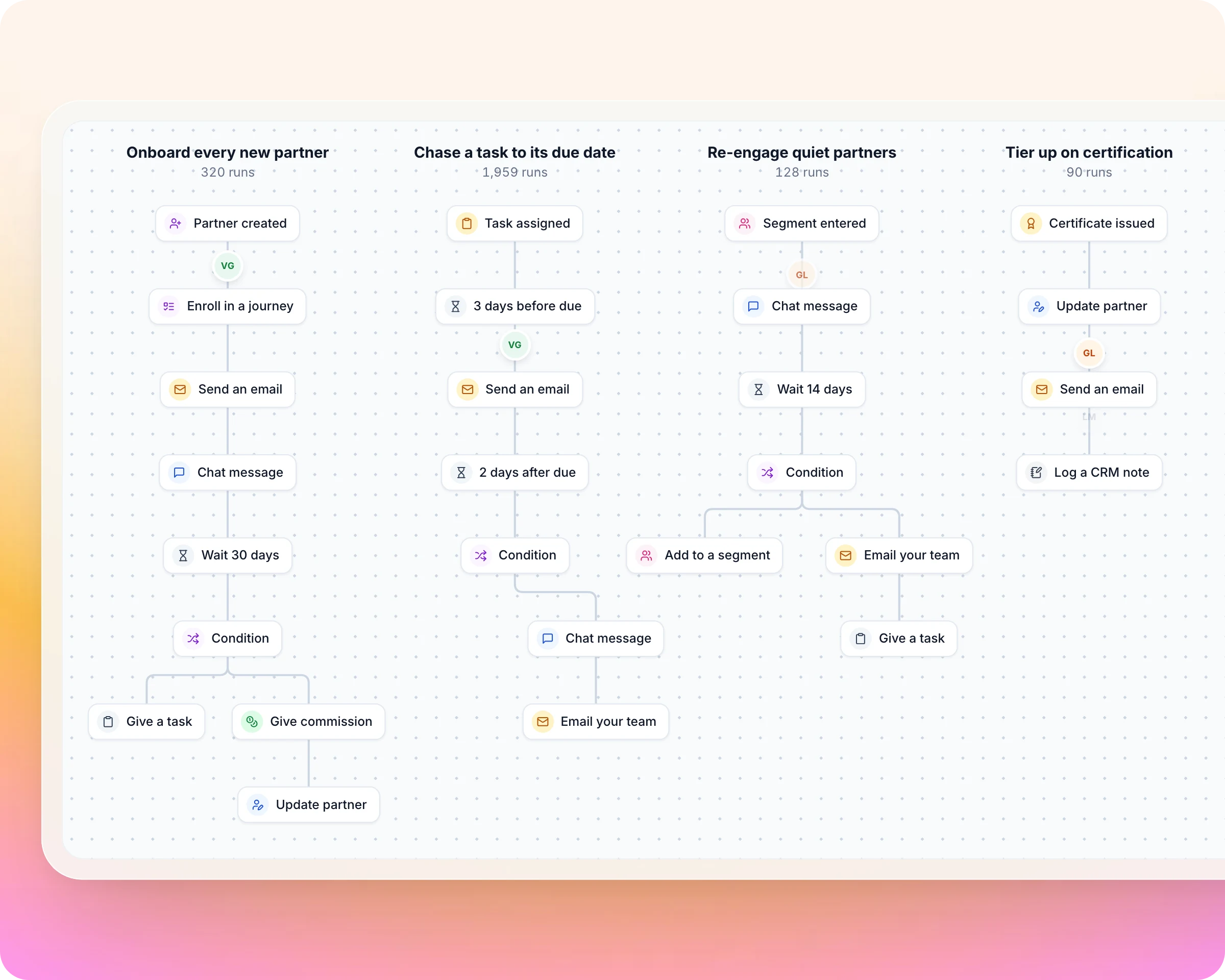
Stop running your partner program by hand. Define a rule of your partner program once and Introw runs it for every partner: tier them up when they certify, chase a task before it is late, and book a bonus when onboarding is done.
Payflip sent 22,000 automatic partner emails and grew partner-channel revenue 200%.











%25201.svg)
What is partner workflow automation?
Partner workflow automation runs the rules of your partner program without a person enforcing each one. A workflow watches for something happening to a partner, checks whether it applies, waits if it should, and acts. In Introw you build workflows on a no-code canvas, and they read and write your HubSpot or Salesforce data.
Every rule you enforce by hand caps how many partners you can run
The long tail of the program is where the rules slip, and where the next wave of partner revenue sits.
Without Introw


With Introw
Any program rule. Every partner, every time.
One trigger, then a chain of steps, drawn on a canvas and tested on a real partner before it goes live.
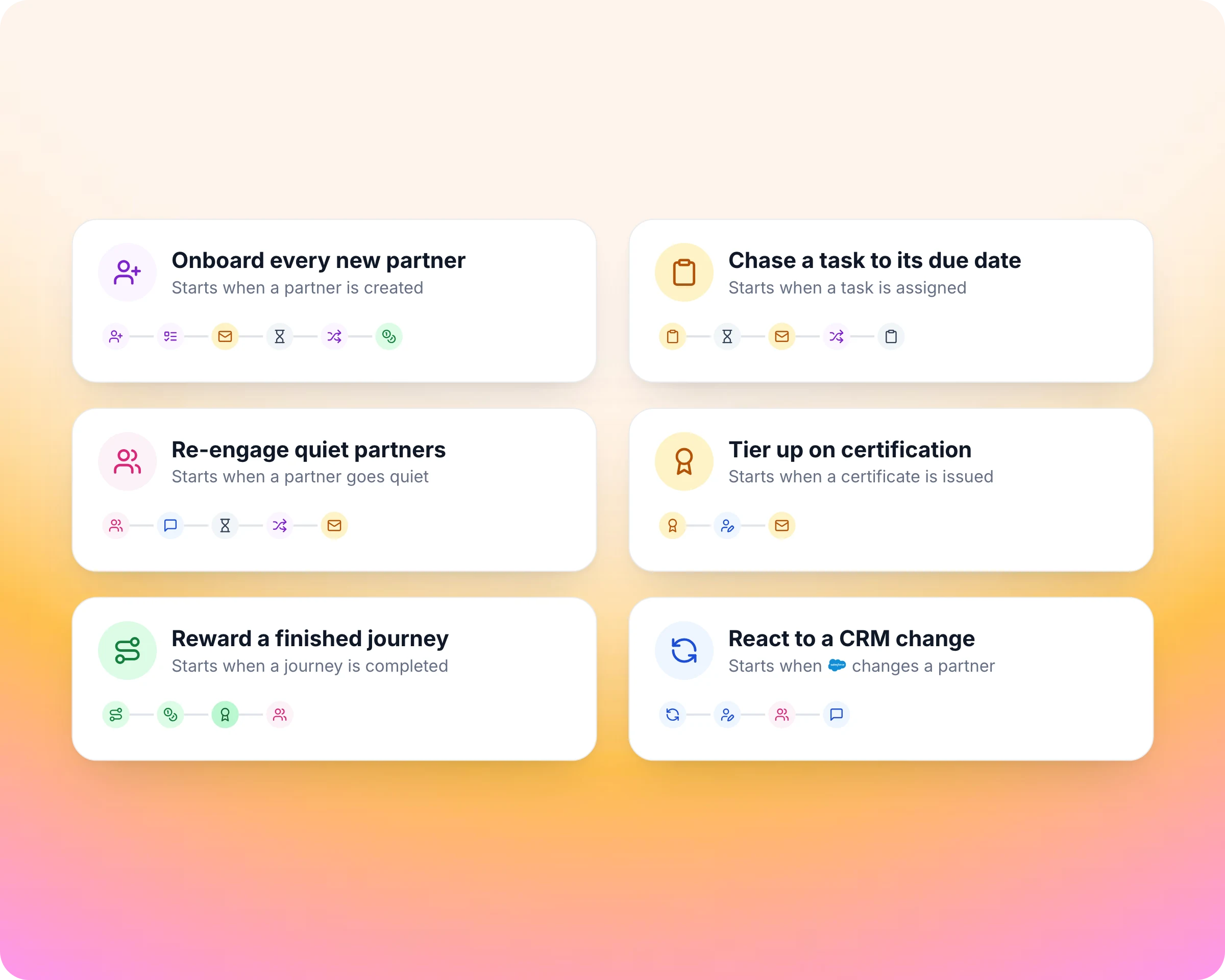
Start from the rules your program already runs.
Most partner automation runs before you build a single workflow: partners arrive from your CRM filters, segments update themselves and notifications go out on their own. For the rules only your program has, start from a template and change it the same day.
Templates for onboarding every new partner, chasing a task, re-engaging quiet partners, tiering up on certification, rewarding a finished journey and reacting to a CRM change.
Each template is a docs guide you can copy step by step.
Tiers and partner properties already sync both ways with HubSpot or Salesforce.
Write the rule once. Every new partner gets the same start.
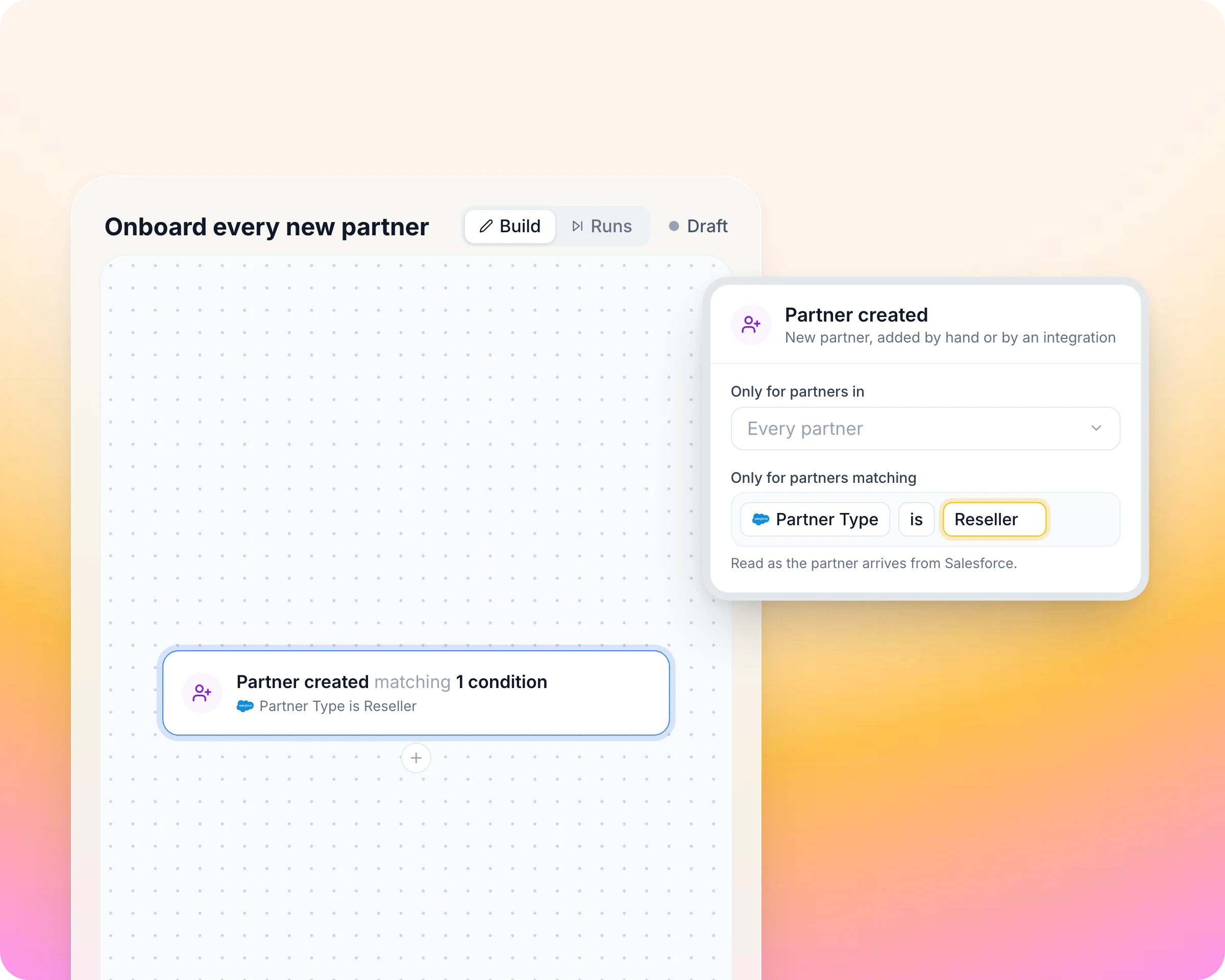
Every trigger is an event a feature you already use sends, so a workflow needs no code. The rules you run in your head become something Introw watches for, for every partner at once.
Thirteen triggers across tasks, journeys, courses, certificates, partners, contacts, CRM records and segments.
Narrow any trigger to the partners you mean, such as partner type is Reseller.
"Has not traded in 30 days" becomes a trigger through a dynamic segment the partner enters.
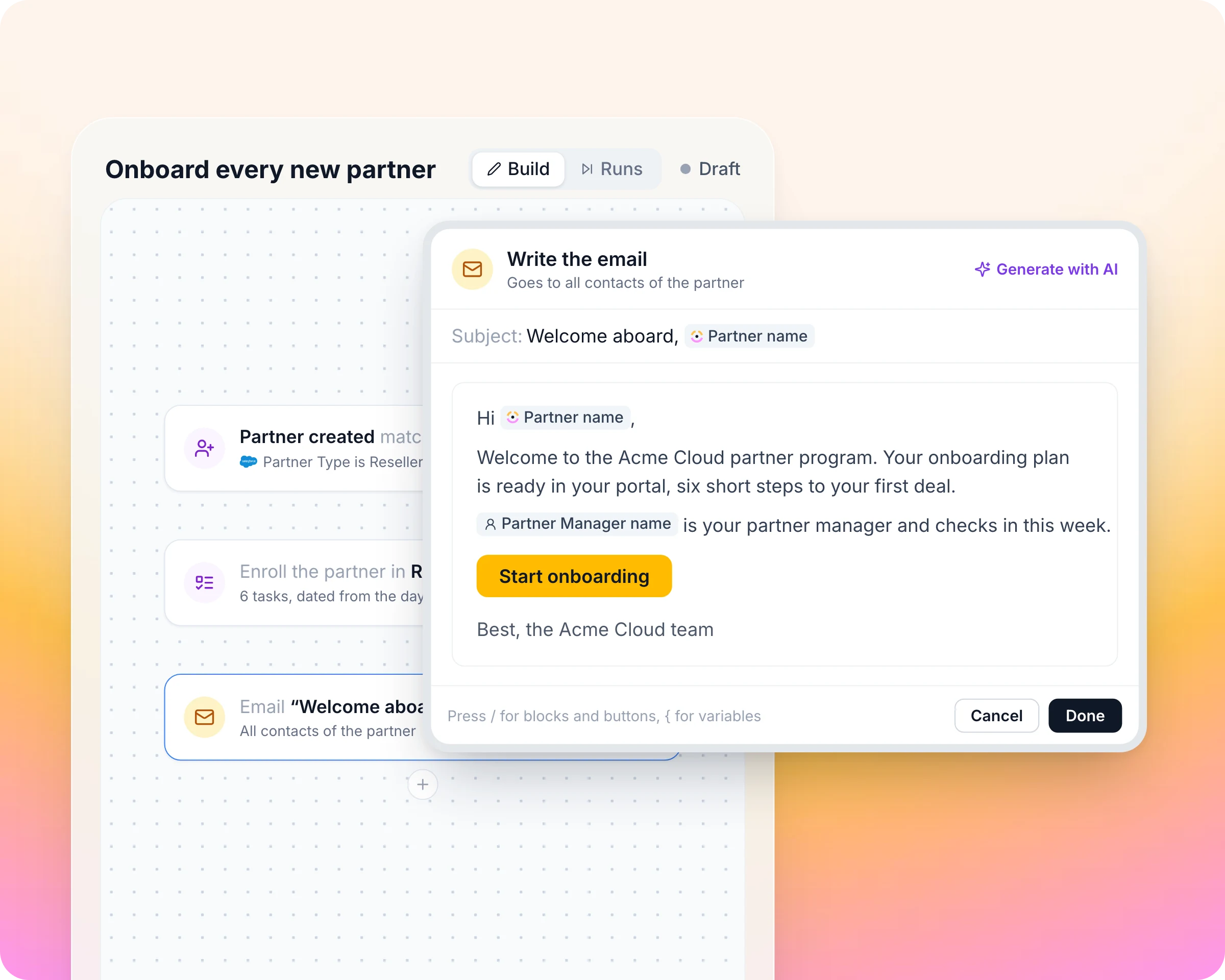
Every email and Slack message reads like you wrote it.
The hundredth partner should get the same welcome as the first. Emails and chat messages fill in the partner's name, their partner manager and CRM values when the step runs, so a message sent to every partner still reads like it was written for one.
Email the partner's contacts or your own team, with your own template and an AI draft to start from.
Post in the partner's Slack or Teams channel.
Log a note on the CRM record, so sales sees what happened.
Reward the partners who deliver. Chase the ones who don't.
Conditions read live partner and CRM values when the step runs, so each partner takes the path that fits them. The partner who closes gets the tier and the bonus; the one who goes quiet gets the nudge, then their manager.
Update the tier, phase, owner or experience, and book a one-off commission that lands as pending for your approval and payout run.
Waits in minutes, hours or days, or anchored before or after a task's or course's due date.
Branches check the partner's current state after a wait.
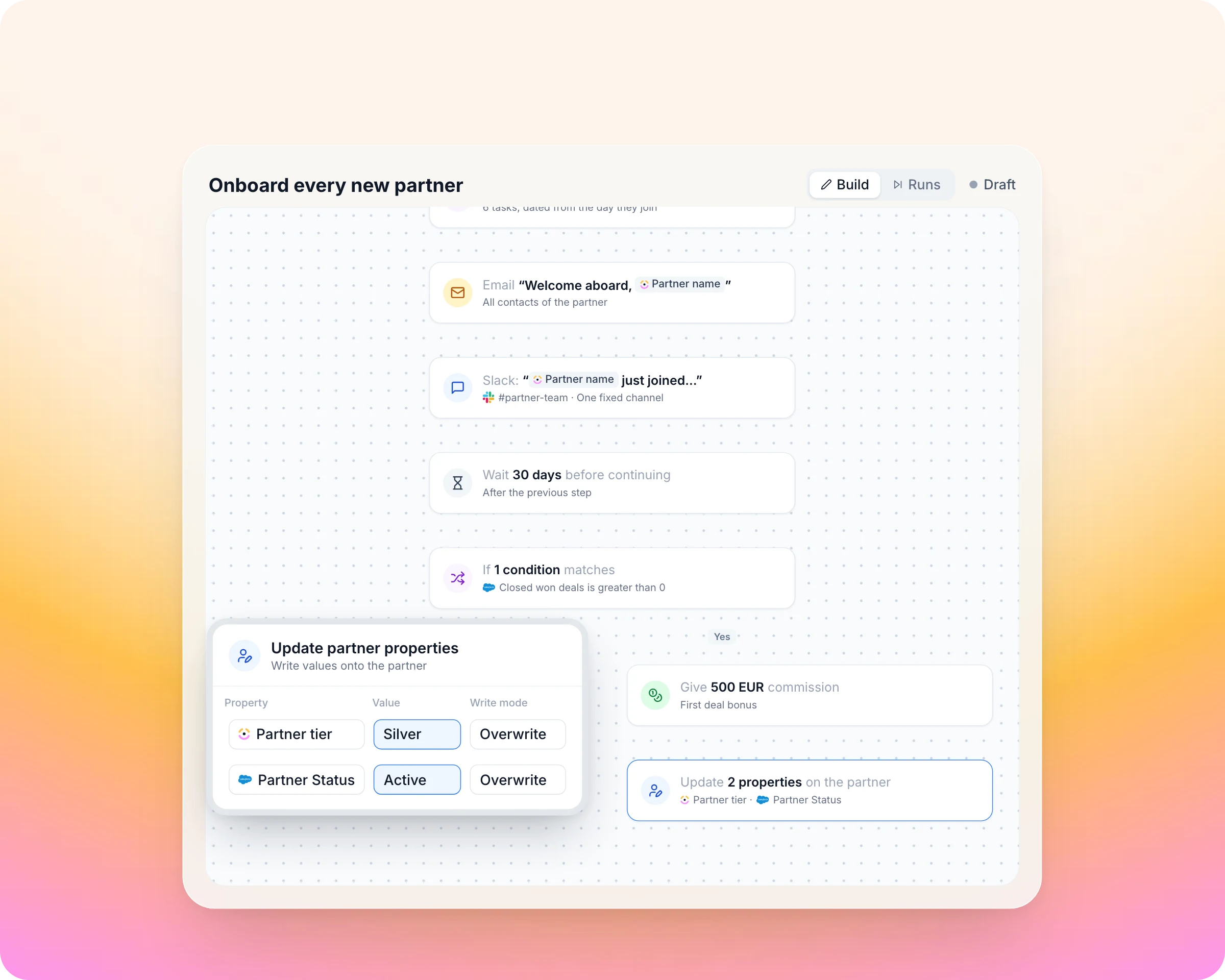
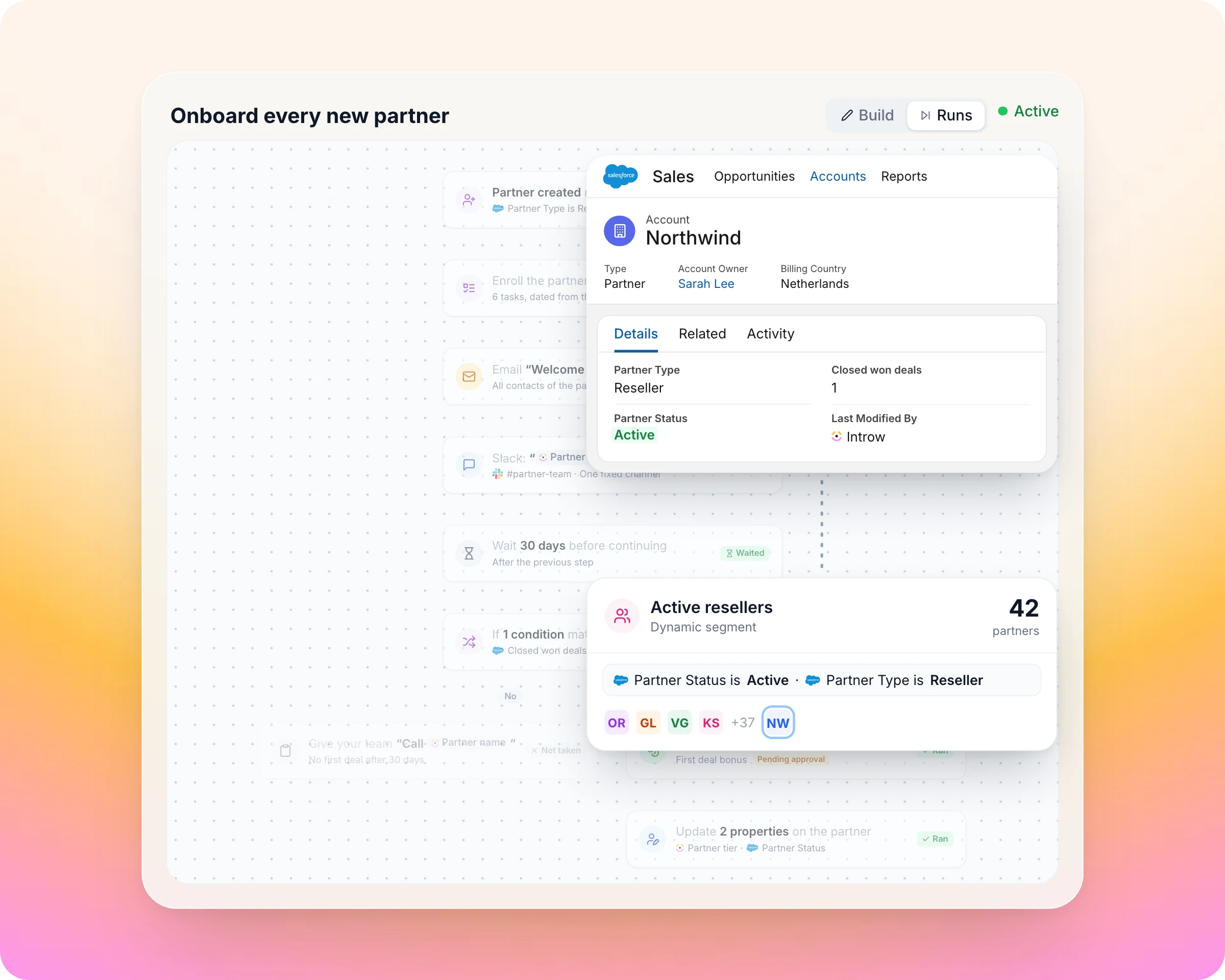
Salesforce stays current. The next rule starts by itself.
Workflows write back to your CRM, so the partner record your sales team sees is always the current one. A property change can move the partner into a segment, and that starts the next workflow without anyone watching for it.
Update partner properties writes to the partner's HubSpot company or Salesforce account.
A change to any partner-level CRM property, or to a deal the partner sourced, can trigger a workflow.
Rehearse on one real partner first: nothing is written or sent, and every live run is logged on the canvas.
Everything you need to run a partner program, in one place
A workflow adds no parallel system. Every trigger comes from a feature you already use, and every action writes back to one.
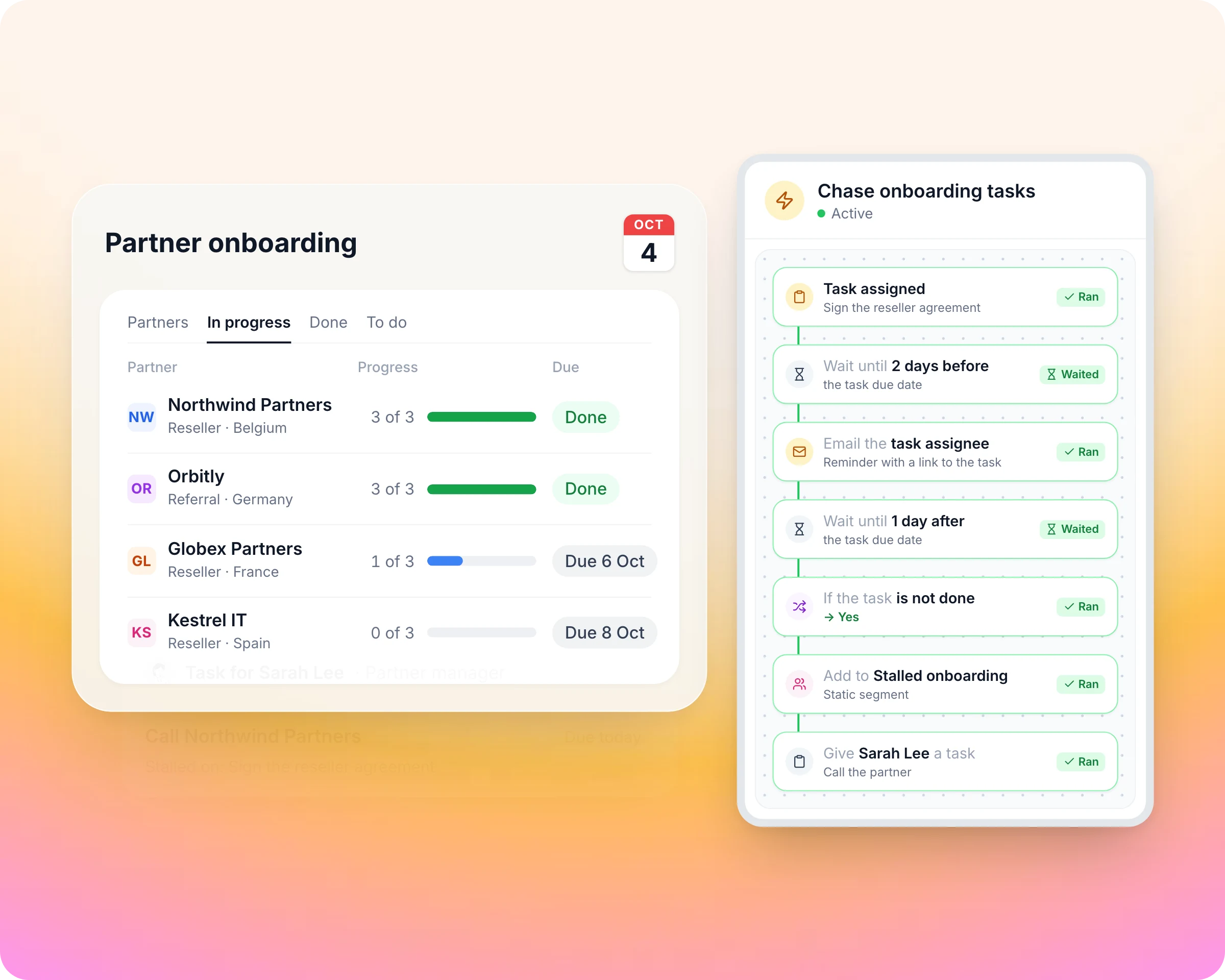
Partner onboarding
"Partner created" enrols every new partner in the onboarding journey.
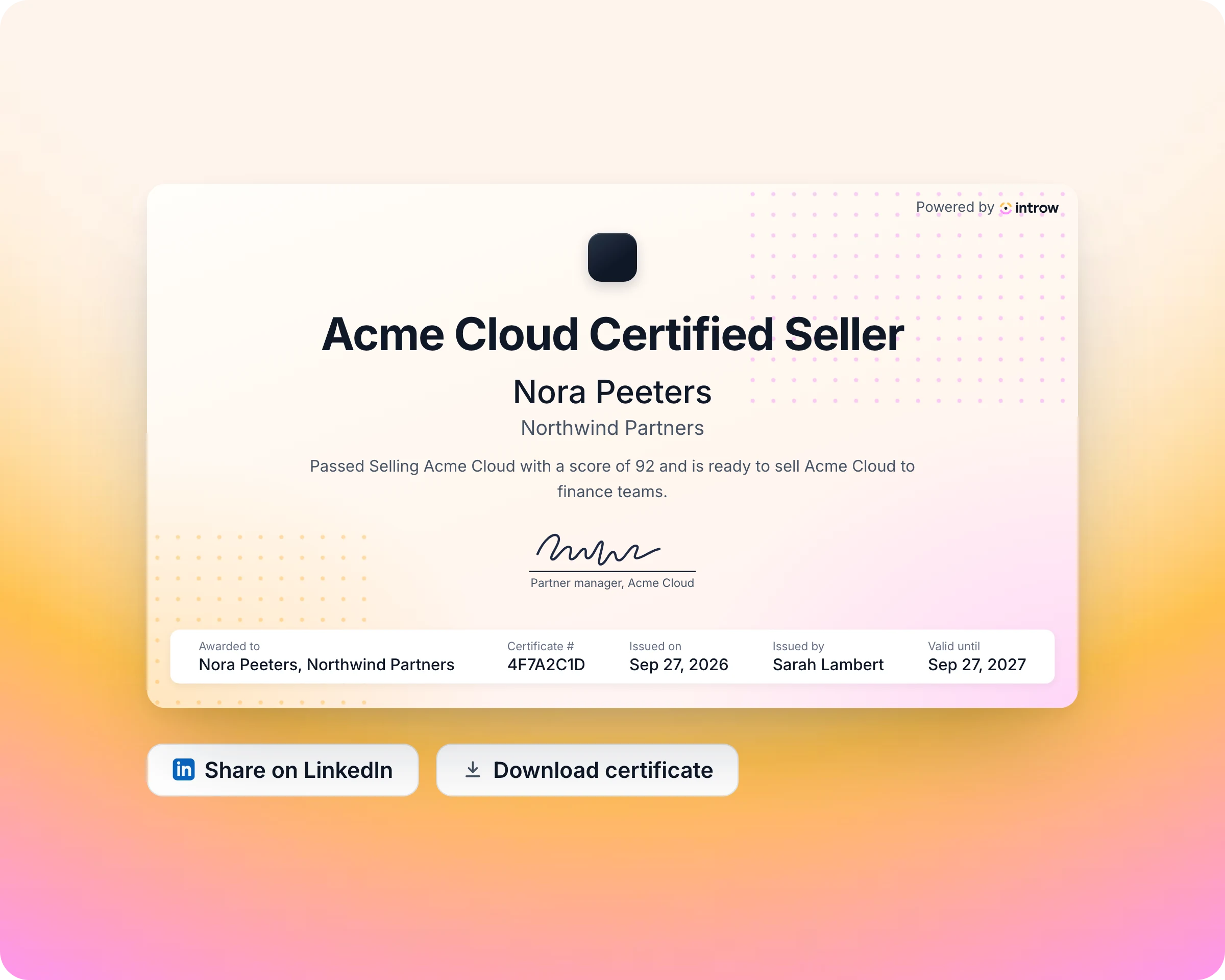
Partner training and certification
"Course completed" and "certificate issued" are triggers, and "issue a certificate" is an action, so nobody issues certificates by hand.
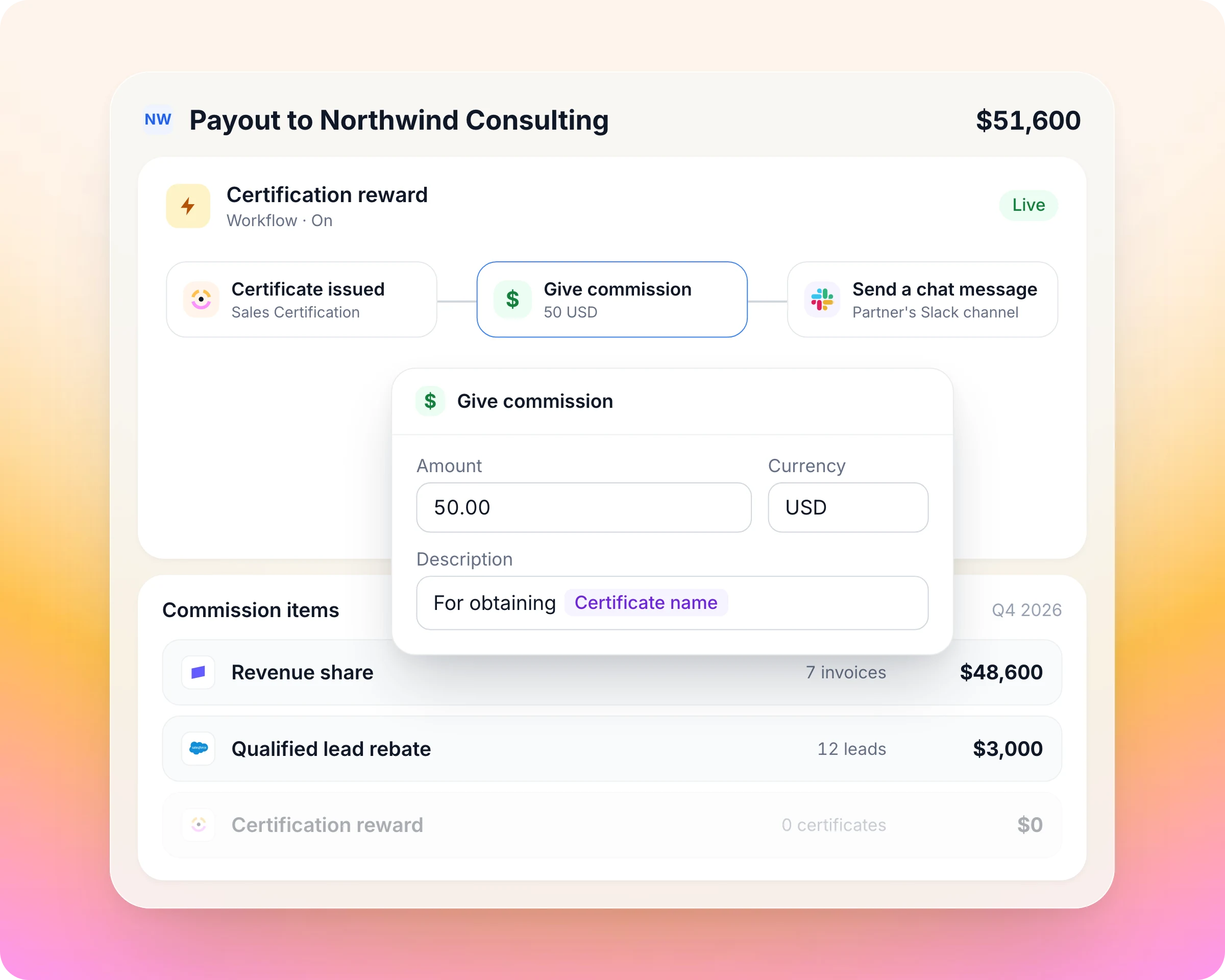
Partner commissions and SPIFFs
"Give commission" books a one-off line in the partner's currency. It lands as pending, so it still goes through your approval run.
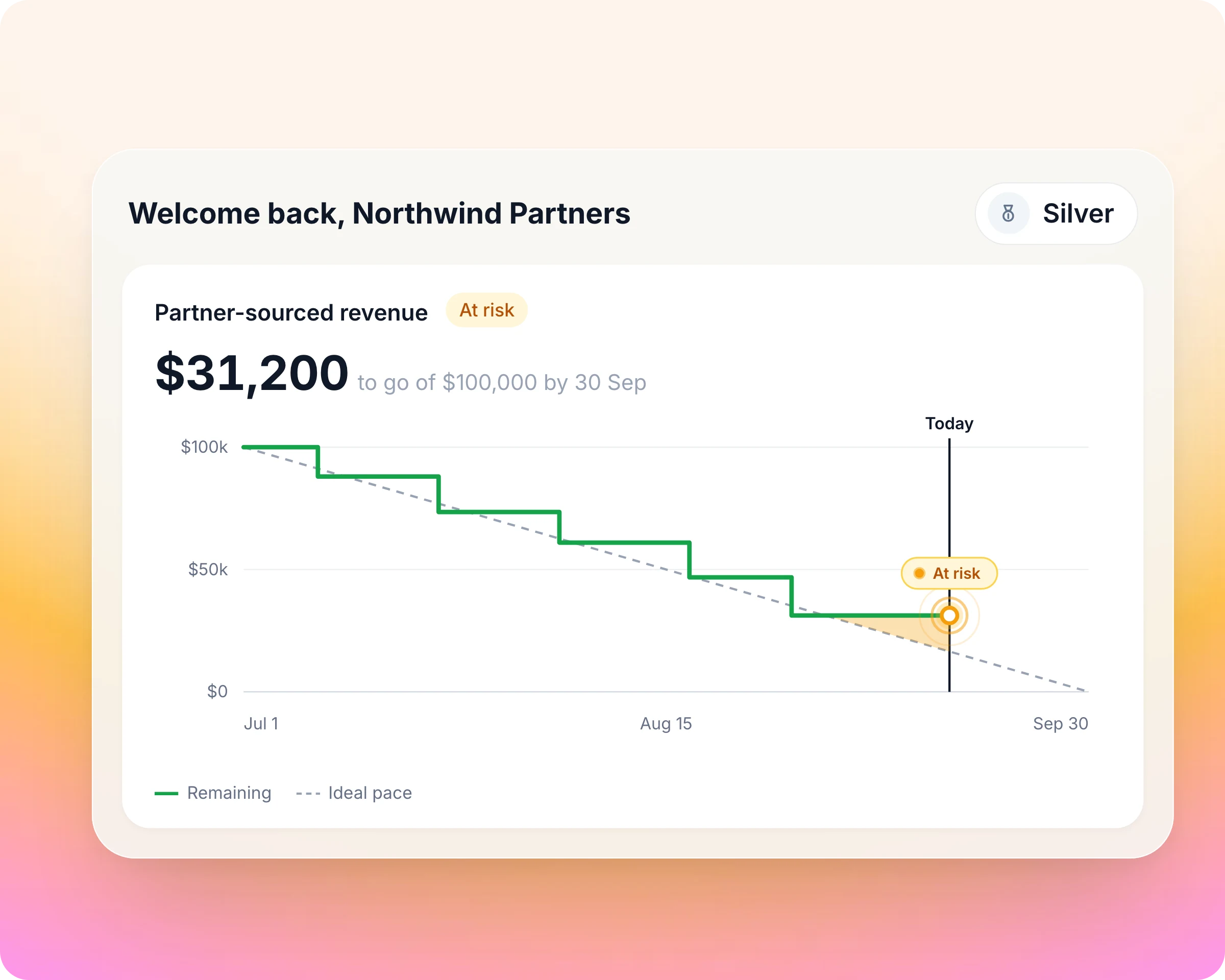
Partner goal tracking
There is no goal-status trigger, so automate the chase with a dynamic segment on the same CRM data the goal counts.
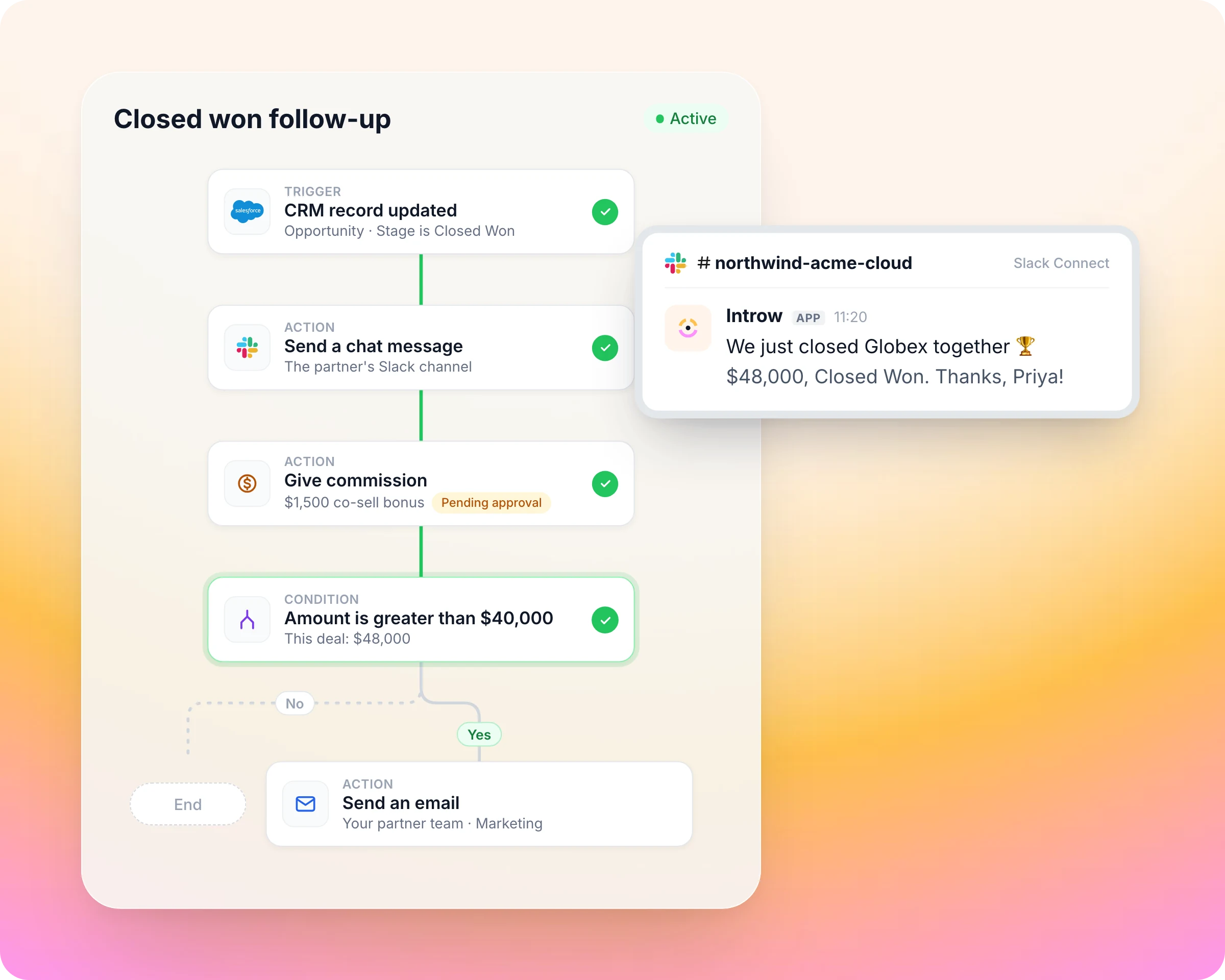
Shared pipeline and two-tier deals
"CRM record updated" fires on a deal linked to the partner, such as one they sourced.
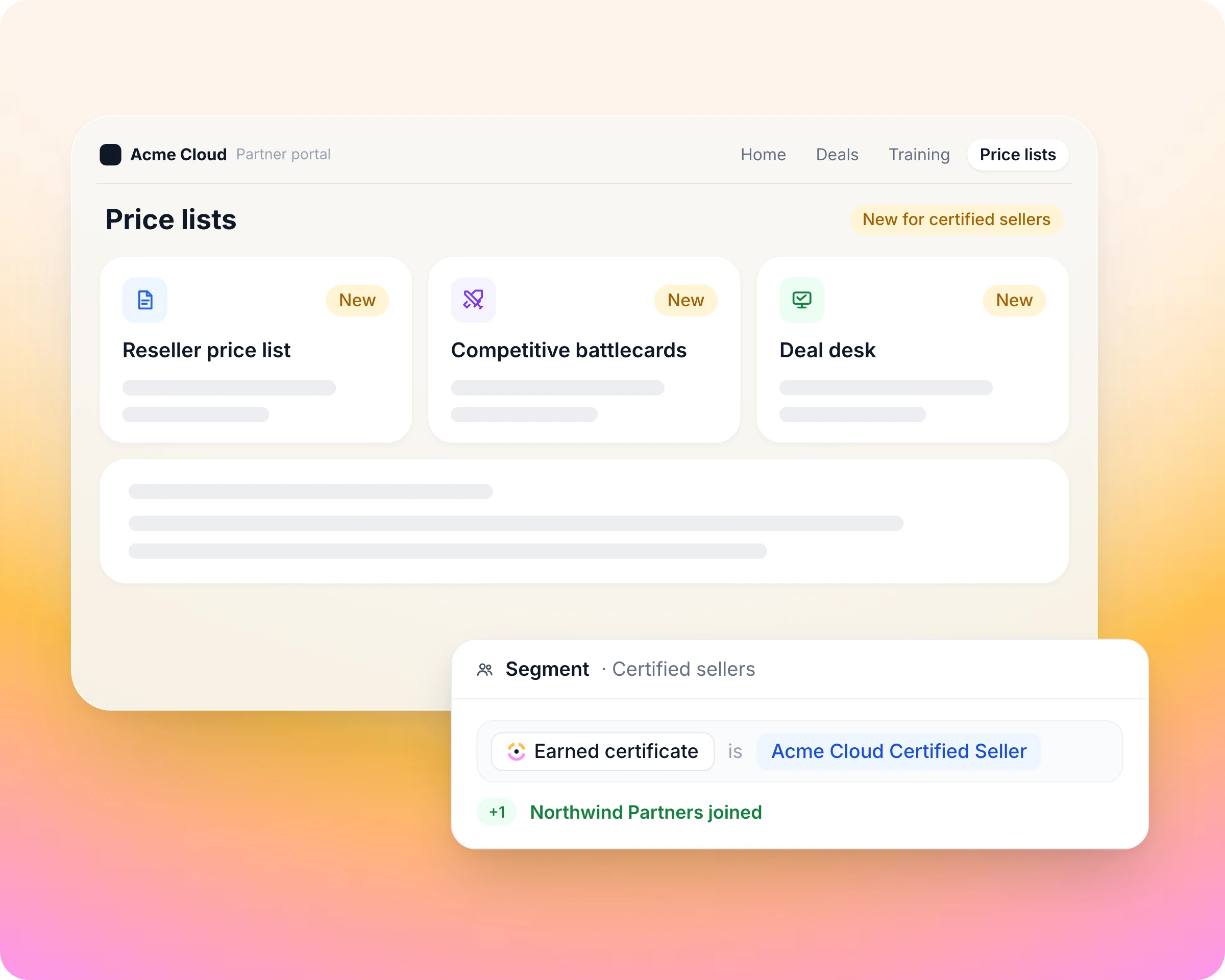
Partner portal
Setting the partner's experience publishes that portal to them, with its content, journeys and goals.
Built into HubSpot and Salesforce
Run another CRM? Connect it through the API or Zapier, or start without a CRM and add one later.

Introw for HubSpot
Introw reads and writes your own HubSpot objects and properties, custom objects included, so there is no second partner database. Partners register and co-sell on native deals, and your reps work with them from the Introw card on the record. Rated 4.9 on the HubSpot Marketplace.

Introw for Salesforce
Introw runs on Salesforce as the system of record, with two-way sync, custom-object mapping and field-level control. Partners are portal users, never Salesforce users, so no Experience Cloud build and no external seats. Your reps get partner context and actions in the Introw panel on the record. Listed on Salesforce AgentExchange.
Introw connects to the tools your team and partners already use
CRM
HubSpot and Salesforce, two-way on your own objects and fields.
Chat
Slack, Microsoft Teams and WhatsApp. Partners register deals, get updates and ask questions in the channel they already watch.



AI assistants
Claude, ChatGPT and any assistant that supports MCP, for your team and your partners, under the same permissions.



Payouts and billing
Introw Pay for partner payouts; Stripe and Chargebee feed commissions from billing data.



Data and account mapping
Crossbeam overlaps inside Introw, Power BI embedded with per-partner row-level security.

Agreements and automation
DocuSign for agreements as an onboarding step, Zapier and a versioned REST API for the rest.

Built for every role on your partner revenue team

Channel Partner Manager


CRO

RevOps

Partner Marketing Manager
What Introw customers say


"Partner activity jumped from 20% to 70%. It molds to how we work, and that shows up directly in engagement."



"We went from 10 partners to over 200 in a year. Introw gave us the structure to scale that fast without adding headcount."



"3,5x growth in partner activity, great partner experience, amazing support and flawless HubSpot integration."

Introw fits your program at every stage
The same platform runs a first program and a global channel, so you start where you are and never re-platform.

Launching a program
You are moving off spreadsheets, often as a team of one. You go live in weeks with no implementation project: deal registration, a branded portal, onboarding and content, configured by your team.

Scaling from tens to hundreds of partners
You run several motions at once. Segments, tiers, MDF, commissions and workflows run on one platform, and your team ships changes the same day without a consultant.

Enterprise and global channel
Thousands of partners across regions and teams. SAML and OIDC SSO, SCIM, role-based access with record scoping, multi-step approvals, multiple currencies and languages, and a white-label portal on your domain.
Pricing that stays predictable as you grow
The whole product at the scale of one partner, with no time limit and no credit card.
Invite as many of a partner's people as you like.
CRM-only roles that need partner context in HubSpot or Salesforce do not take a seat.
MCP for Claude, ChatGPT and your partners' assistants is not an add-on.
Your partner team configures forms, portals, tiers and workflows without code.

See Introw on your own CRM
Bring your HubSpot or Salesforce, and we will show you your partners, deals and attribution live in Introw in one call. Live in weeks, owned by your team.
More on running a partner program
Frequently asked questions
Partner workflow automation enforces the rules of your partner program for you. In Introw a workflow starts from a trigger, such as a course completed or a partner entering a segment. It then waits, branches and acts: it updates the tier, gives a task, books a commission line or sends an email, the same way for every partner.
Thirteen triggers across tasks, journeys, courses, certificates, partners, contacts, CRM records and segments. Partner updated fires on any partner-level CRM property, and segment membership turns conditions like "has not traded in 30 days" into a trigger, because dynamic segments re-evaluate against live partner and CRM data.
No. Partner ops builds workflows on a canvas by picking a trigger, conditions, waits and actions from lists. A workflow saves as a draft, Introw lists what is still missing, and you rehearse it on one real partner before switching it on. Changing a live workflow is the same edit, the same day.
Yes. The give commission action books a one-off commission line in the partner's own currency. It lands as a pending line, so it still goes through your normal review and payout run, paid through Introw Pay or your finance stack.
Yes. The update partner properties action sets the partner's tier, and the new tier syncs to your CRM. Start it from an event such as a certificate issued or a course completed. Reaching a goal is not a trigger on its own, so promotions tied to goals run through a bulk tier change after a review.
Yes. A test run rehearses the workflow against one partner you pick: waits resolve instantly, conditions read live data, and nothing is written or sent. After you switch it on, every run is logged and drawn back onto the canvas, so you can see which path each partner took.
Workflows read your CRM data and can write back to it. A change to any partner-level property, or to a CRM record linked to the partner such as a sourced deal, can trigger a workflow. Actions can update CRM properties on the partner company and log a note on the CRM record, so your sales team sees what happened.
See AI-Native PRM in Action
Build your first partner workflow on your own CRM. Connect HubSpot or Salesforce on the free plan: the whole product at the scale of one partner, no time limit, no credit card.