Partner commission and SPIFF software
Partner incentives your partners trust and finance can reconcile. Set commission plans and SPIFFs once. Introw calculates every partner's earnings from your HubSpot, Salesforce or billing data, your team reviews the lines, and Introw Pay pays every partner from one invoice.
WeGive simplified complex partner commissions with Introw.











%25201.svg)
What is partner commission and SPIFF software?
Partner commission and SPIFF software calculates what each partner earns and gets them paid. In Introw, commission plans read deals from HubSpot or Salesforce, or subscriptions and invoices from your billing system, and turn every qualifying record into a commission line. SPIFFs run as one-time bonuses, and payouts settle through Introw Pay or your finance stack.
A commission spreadsheet costs you partner trust
Partners push harder for the vendor whose numbers they can check, and finance pays faster when every line reconciles.
Without Introw


With Introw
Every plan, one statement, one invoice
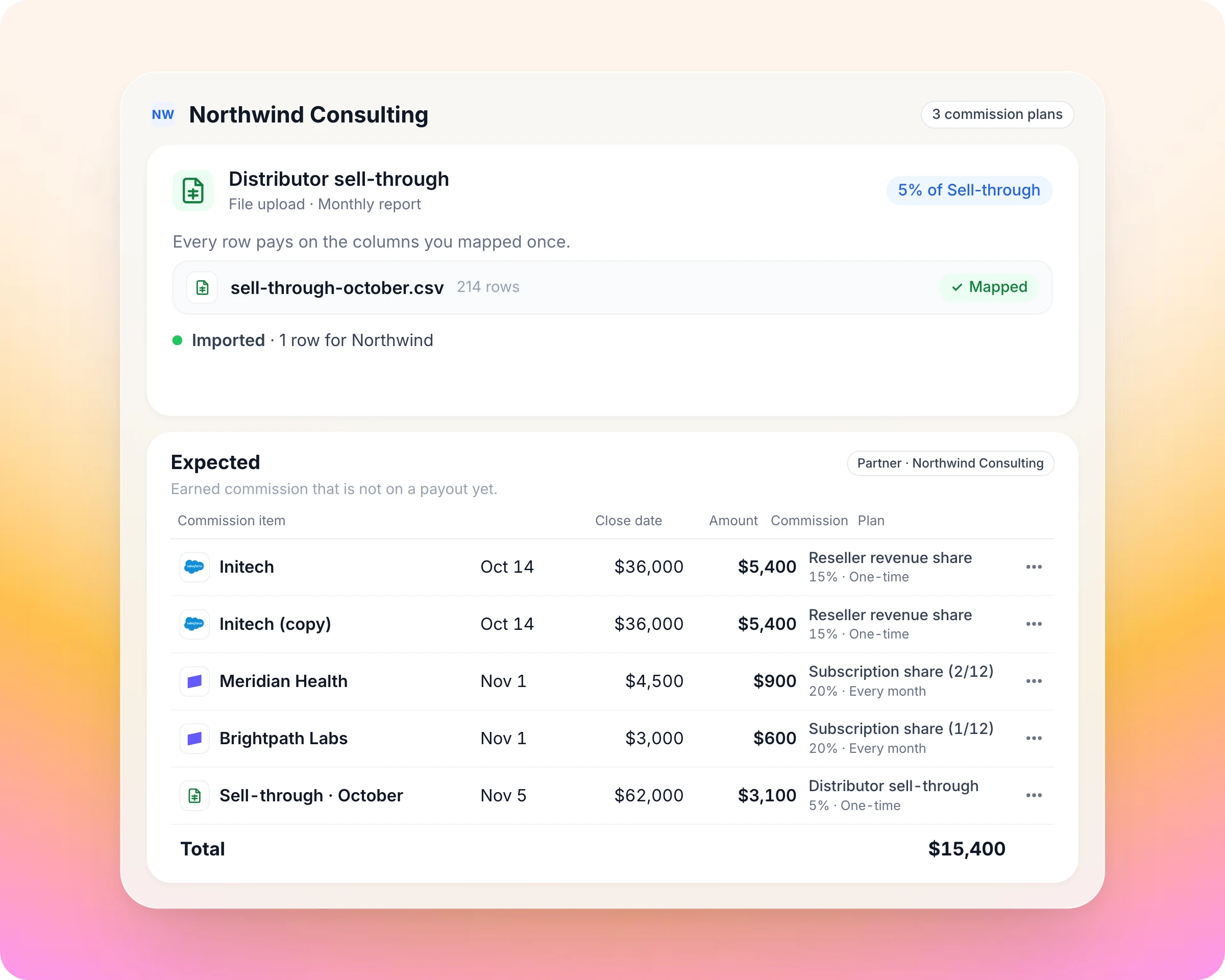
Define how partners earn once, and every qualifying deal, subscription or invoice is priced for you.
Every deal, invoice and resale report earns on its own.
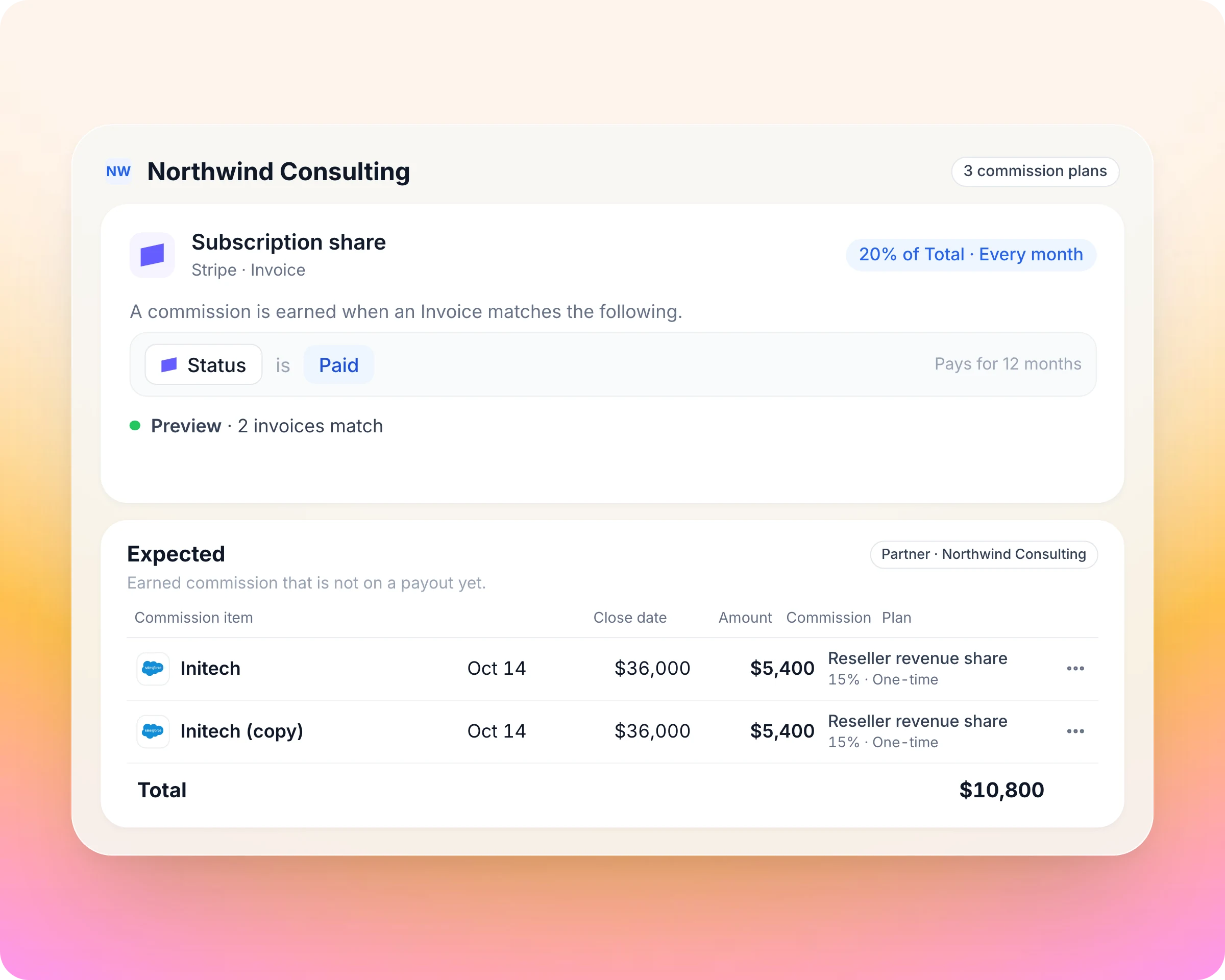
The plan is the rulebook for what partners earn. You set it once on the records sales and finance already trust, and every qualifying record is priced for you. Your partner team stops rebuilding the numbers each month, and finance gets figures that reconcile to source.
Reads deals from HubSpot or Salesforce, or subscriptions and invoices from Stripe or Chargebee.
Revenue share, fixed amount or tiered rate, with rates per tier, segment or partner, caps and installments.
Preview which records qualify before going live; editing a plan creates a new version, so priced lines never change.
Reward the push while the quarter is still open.
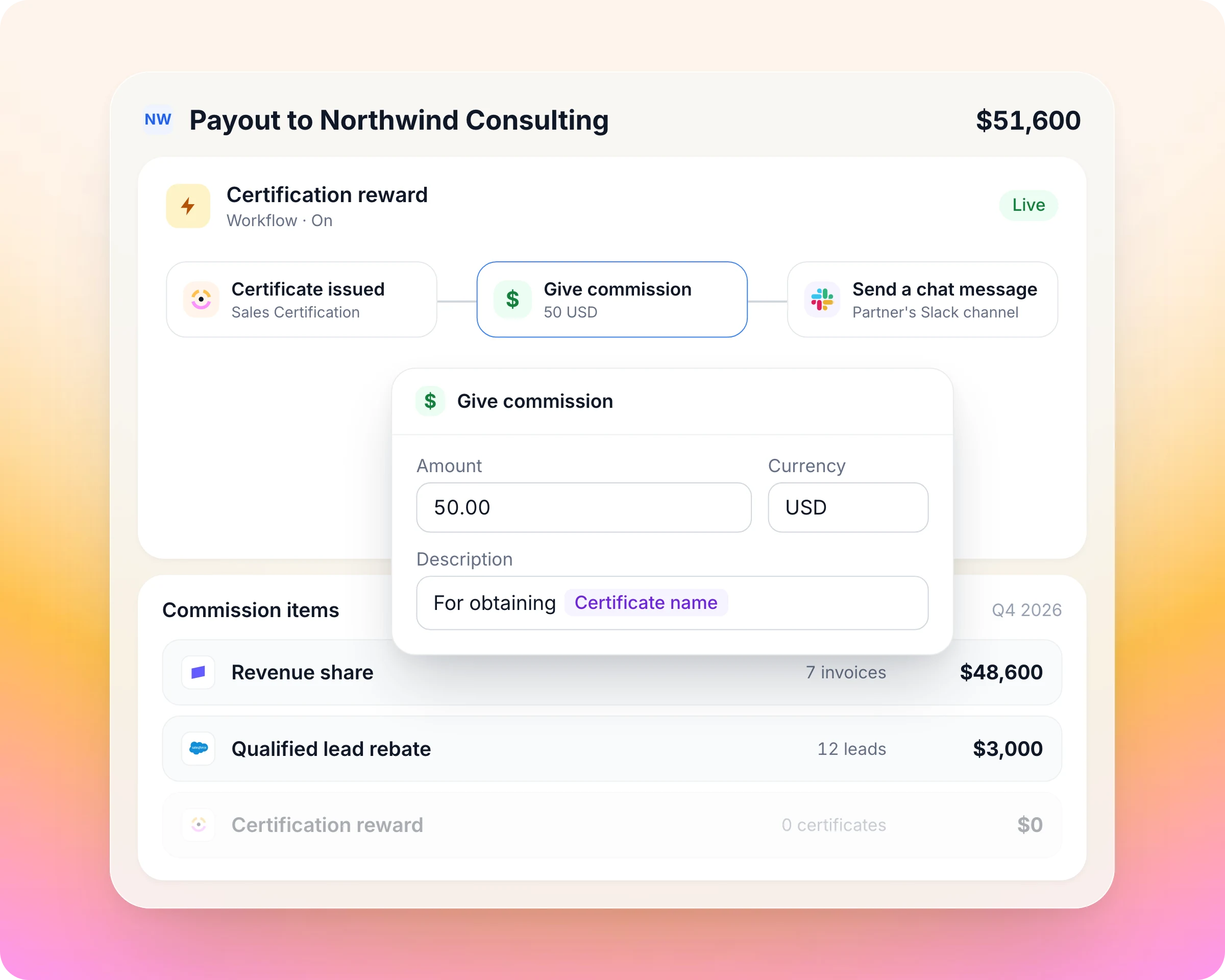
A SPIFF only works while it still matters. Launch one as a one-time bonus plan the same day, or let a workflow book a bonus the moment a partner earns it, such as a new certification.
A one-time bonus plan for a product push, a quarter or a region.
A workflow books a fixed bonus when a partner certifies, finishes onboarding or closes a deal.
Manual lines for anything else, through the same approval.
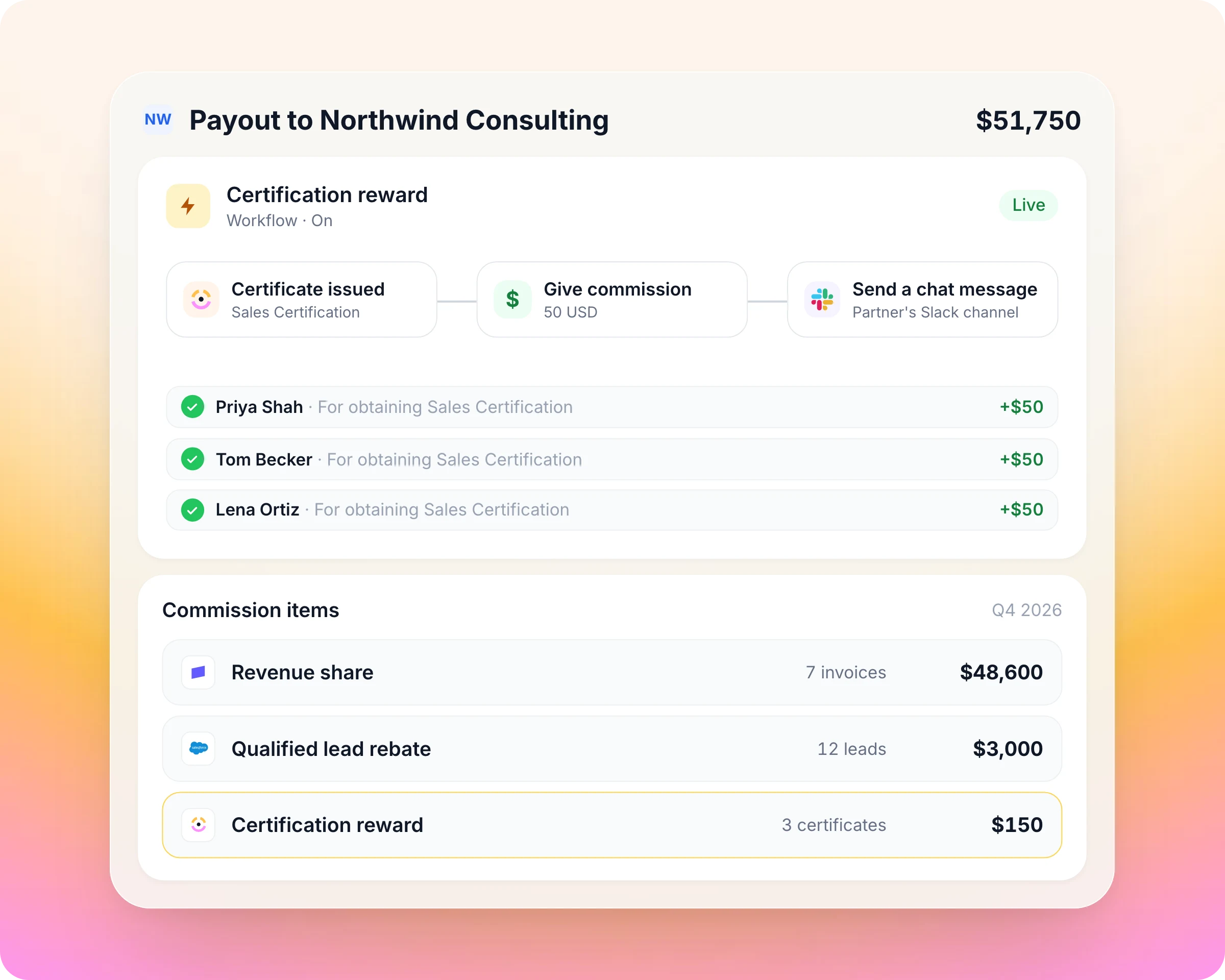
Rev share, rebates and rewards add up without a spreadsheet.
One partner can sit on several plans at once, each on its own data source. Introw adds them into one payout per partner per period, so the partner reads one statement and finance reconciles one number.
A revenue share on Stripe invoices and a fixed rebate per qualified Salesforce lead on the same payout.
Revenue outside your CRM, such as a distributor's sell-through report, imports as a CSV or Excel file.
A clawback file nets against what you already booked.
Every line checked before it becomes money.
One wrong payment costs more trust than ten right ones earn. Every line is checked before it pays and traces back to the record that created it, so finance approves a payout run without redoing the maths.
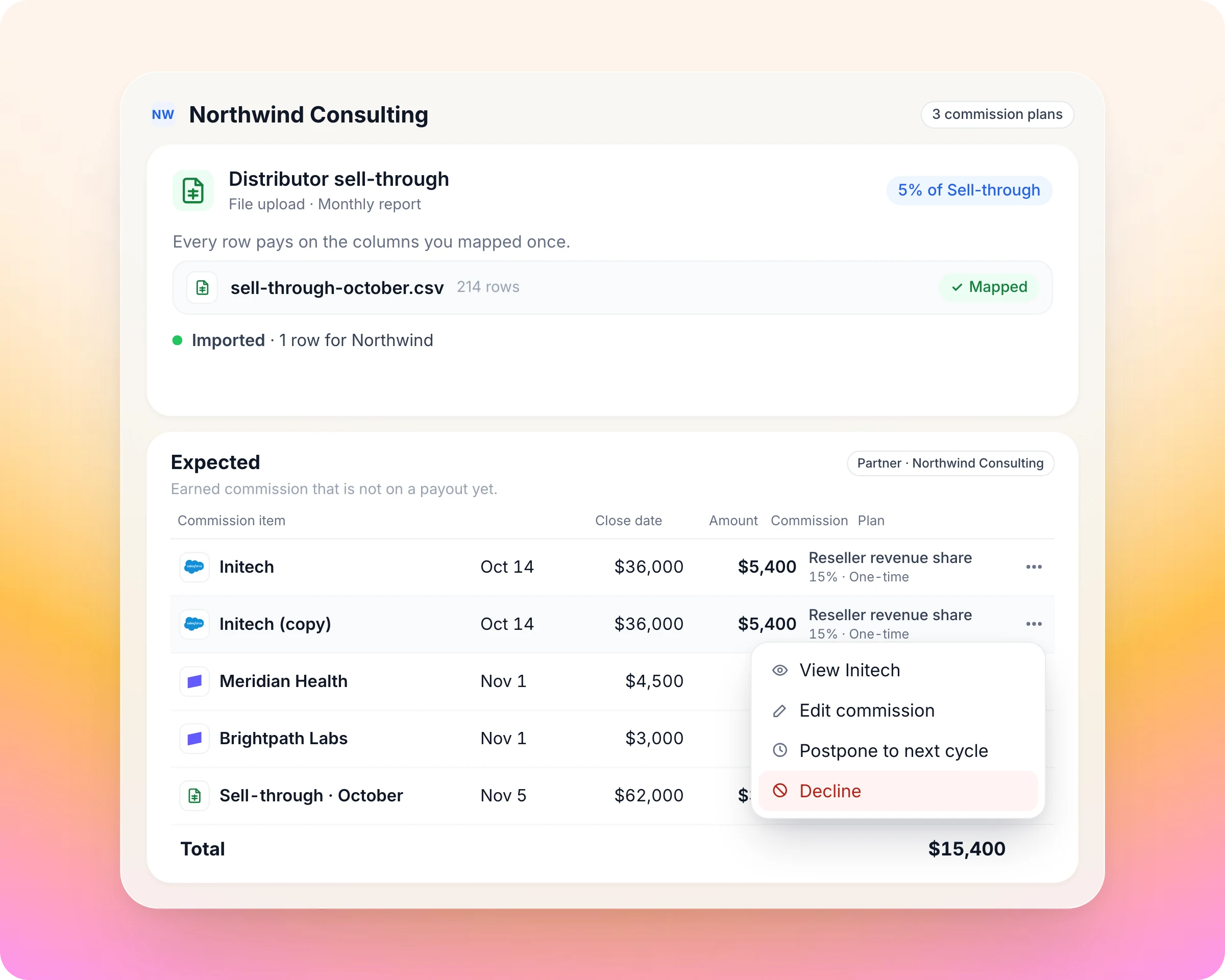
Each line traces back to the CRM or billing record that created it.
Lines move from potential to expected to approved.
Decline, postpone or restore a line, or add a manual line for an adjustment.
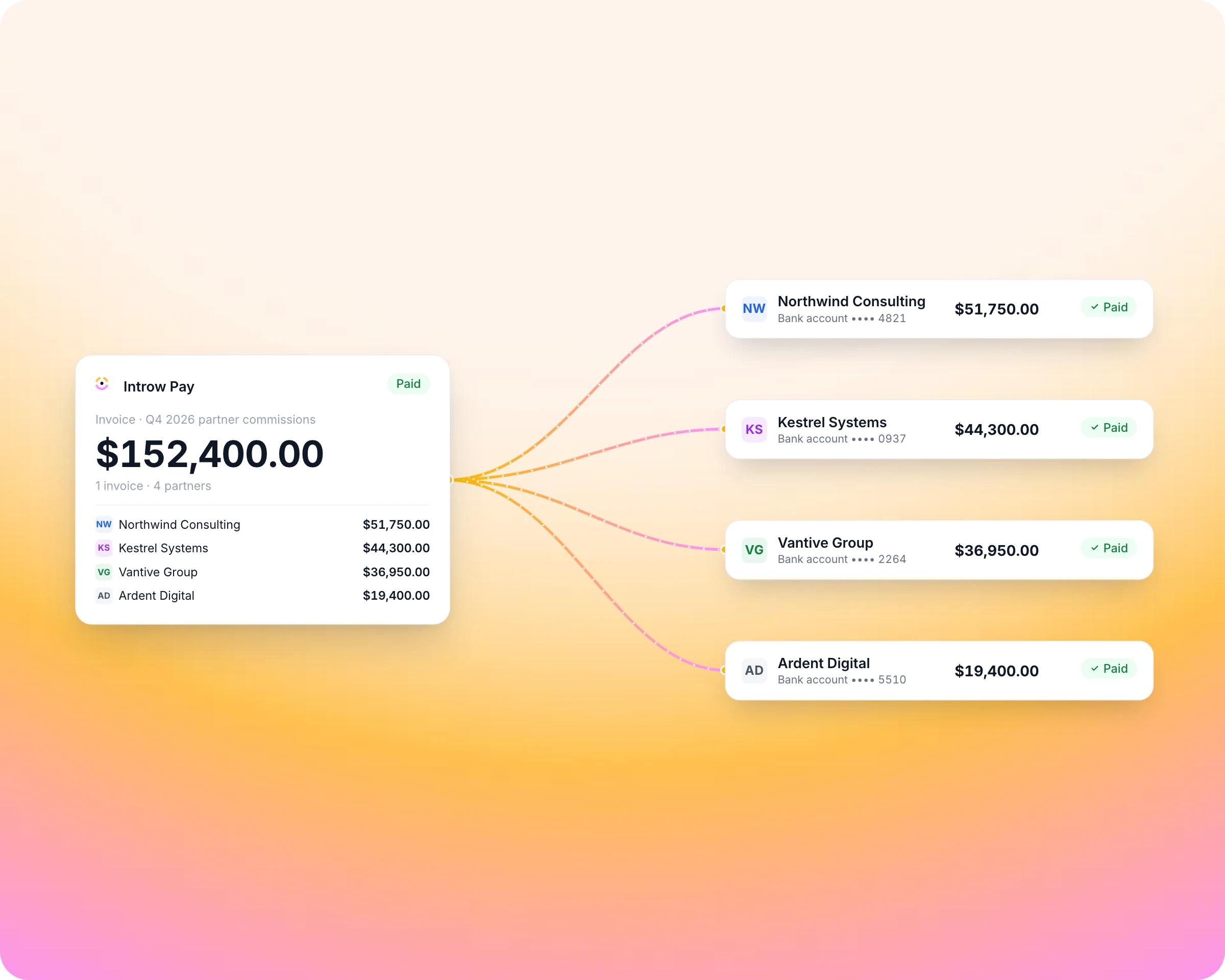
One invoice pays every partner.
Earned lines become one payout per partner per period, with a statement they can read. With Introw Pay you pay one invoice and every partner is paid; with your own finance stack you pay from an export.
Batches on your schedule: monthly, quarterly, fiscal quarter or manual.
Request the partner's invoice and record a PO number where finance needs one.
Or pay from your own finance stack with a CSV export or the API, and mark payouts paid.
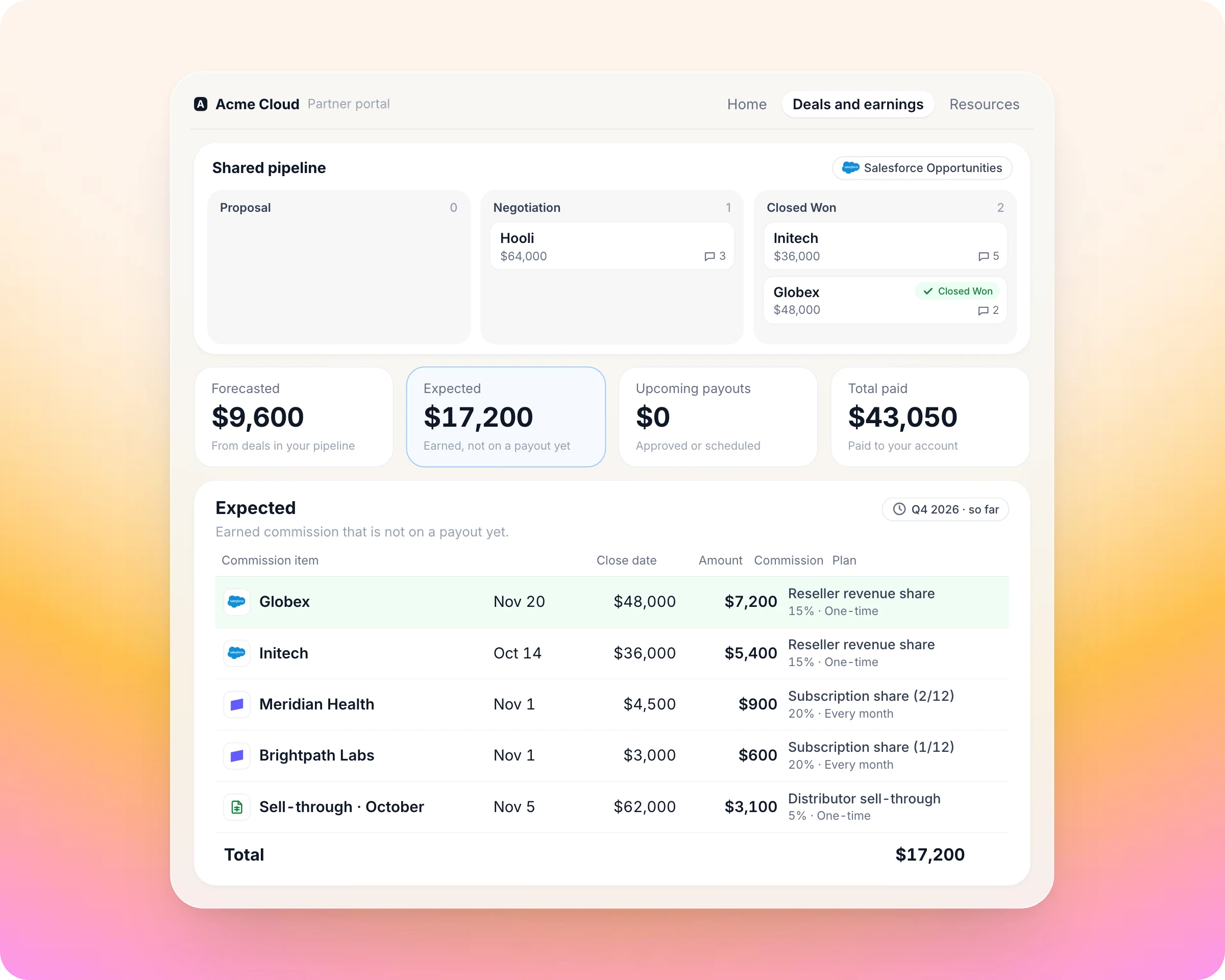
Partners see what they earn every day, so they push the next deal.
Partners keep selling for the vendor whose numbers they can check. They see what they will earn and what they were paid, deal by deal, and the "where's my commission?" emails stop.
Forecasted, expected, upcoming and paid earnings in their portal.
Which deals earned what, line by line, with a statement per payout.
Answers on commission status from their own AI assistant over MCP.
Everything you need to run a partner program, in one place
Commissions pay for what happens elsewhere in the program. These are the parts of Introw that decide who earns what.
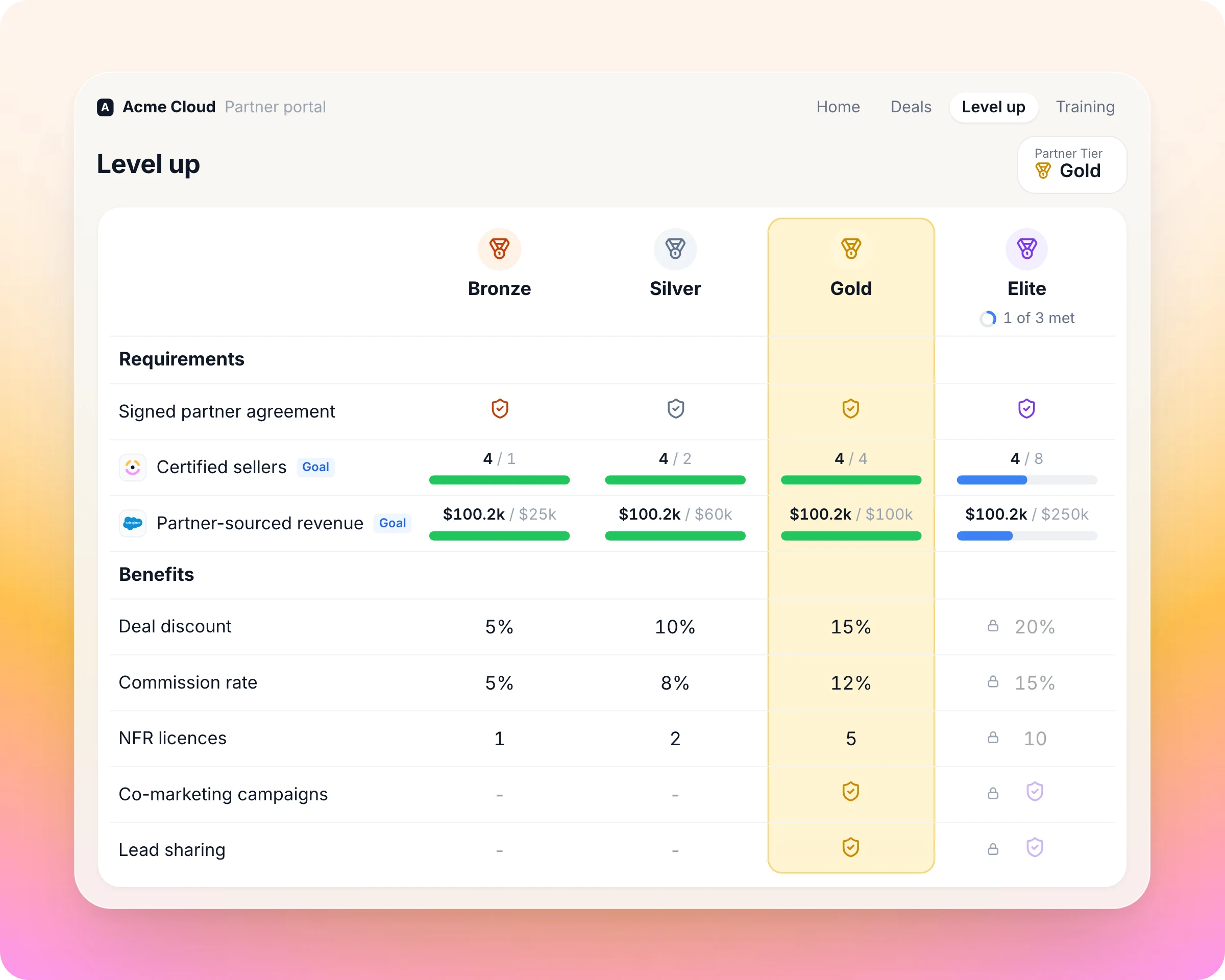
Partner tiering
A commission plan sets a rate per tier, so moving up the ladder pays visibly more.
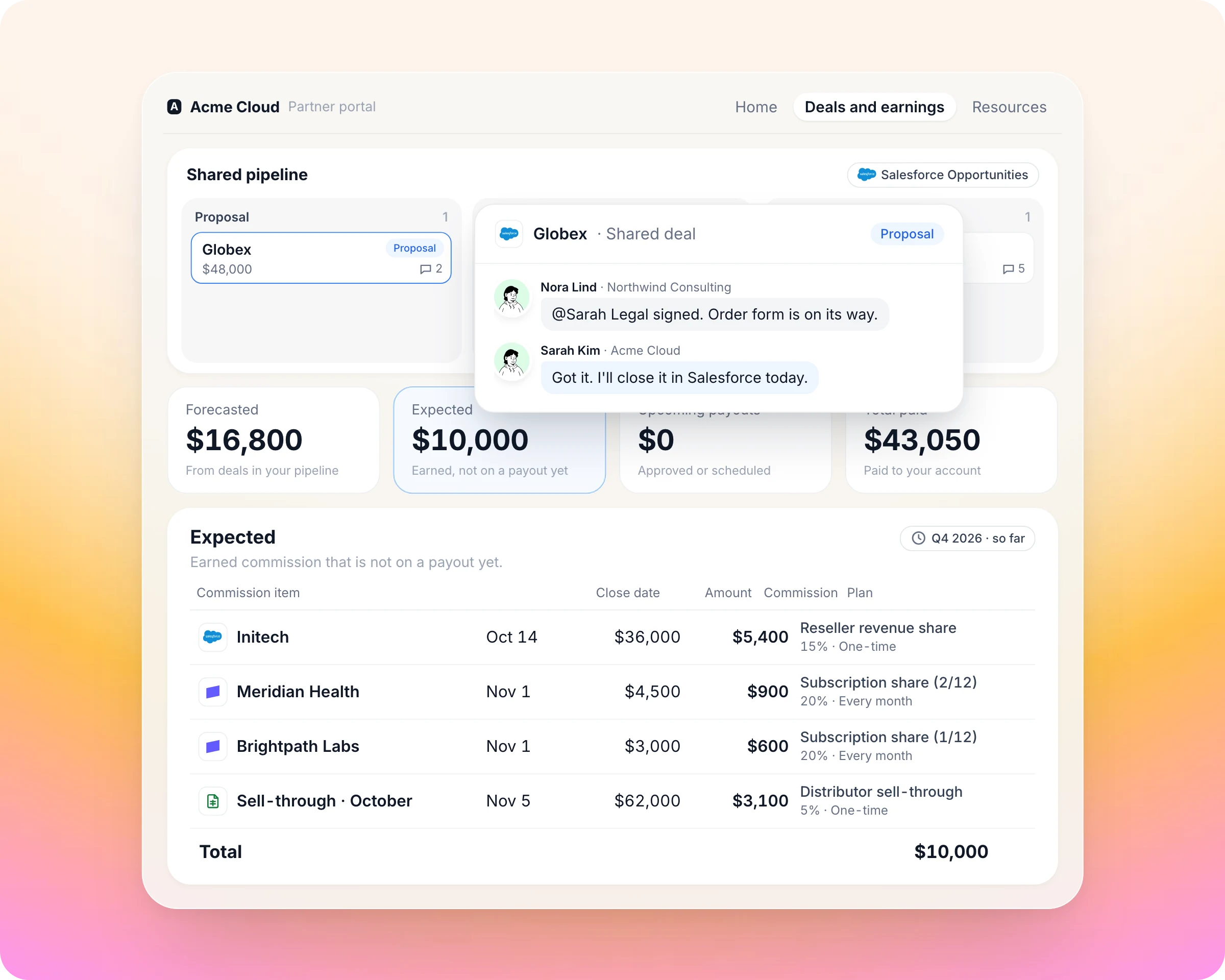
Deal registration and channel conflict
Plans pay partners on the deals they register.
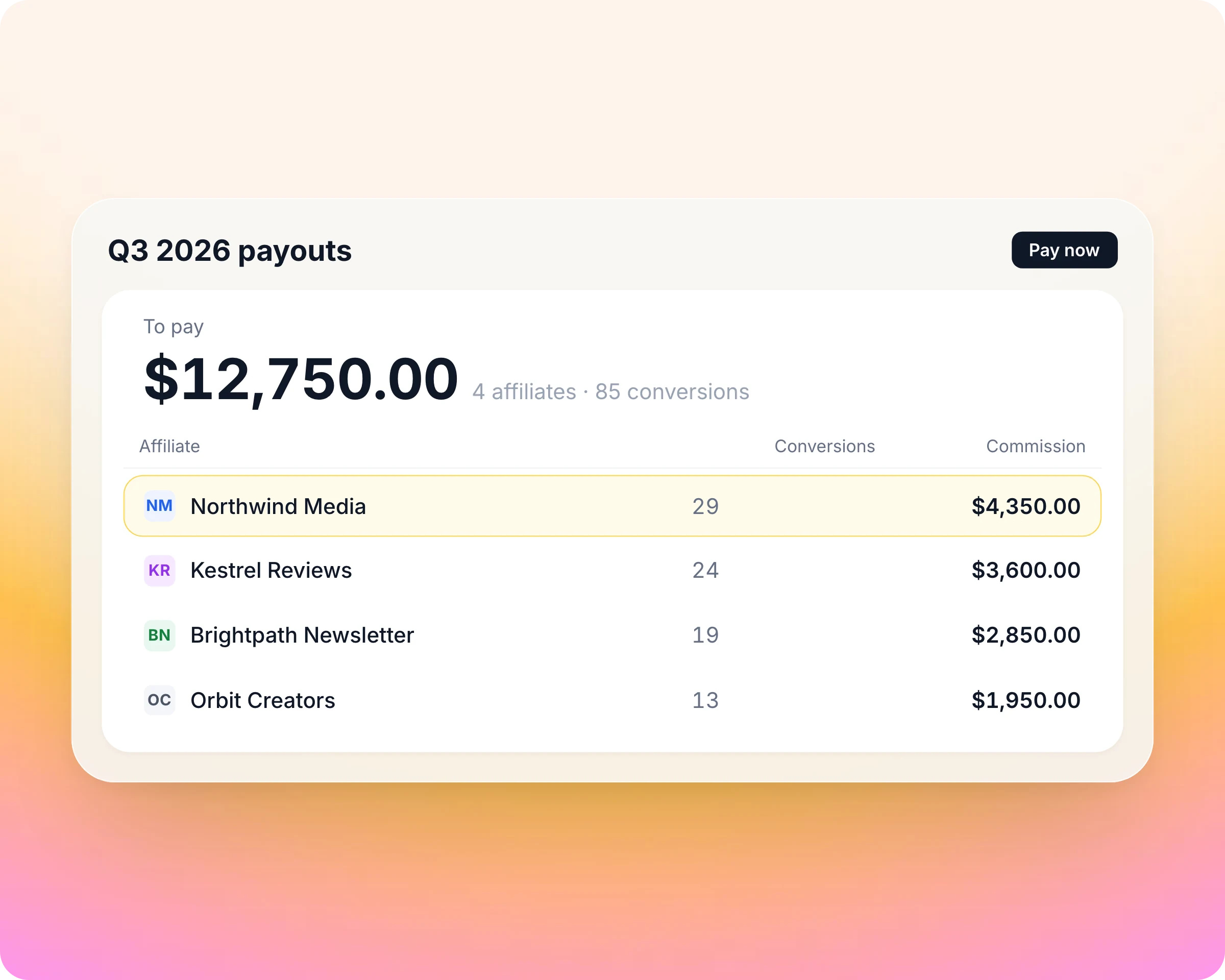
Partner referral management
Referral rewards and revenue shares run on commission plans, and a line is created as each referred deal closes.
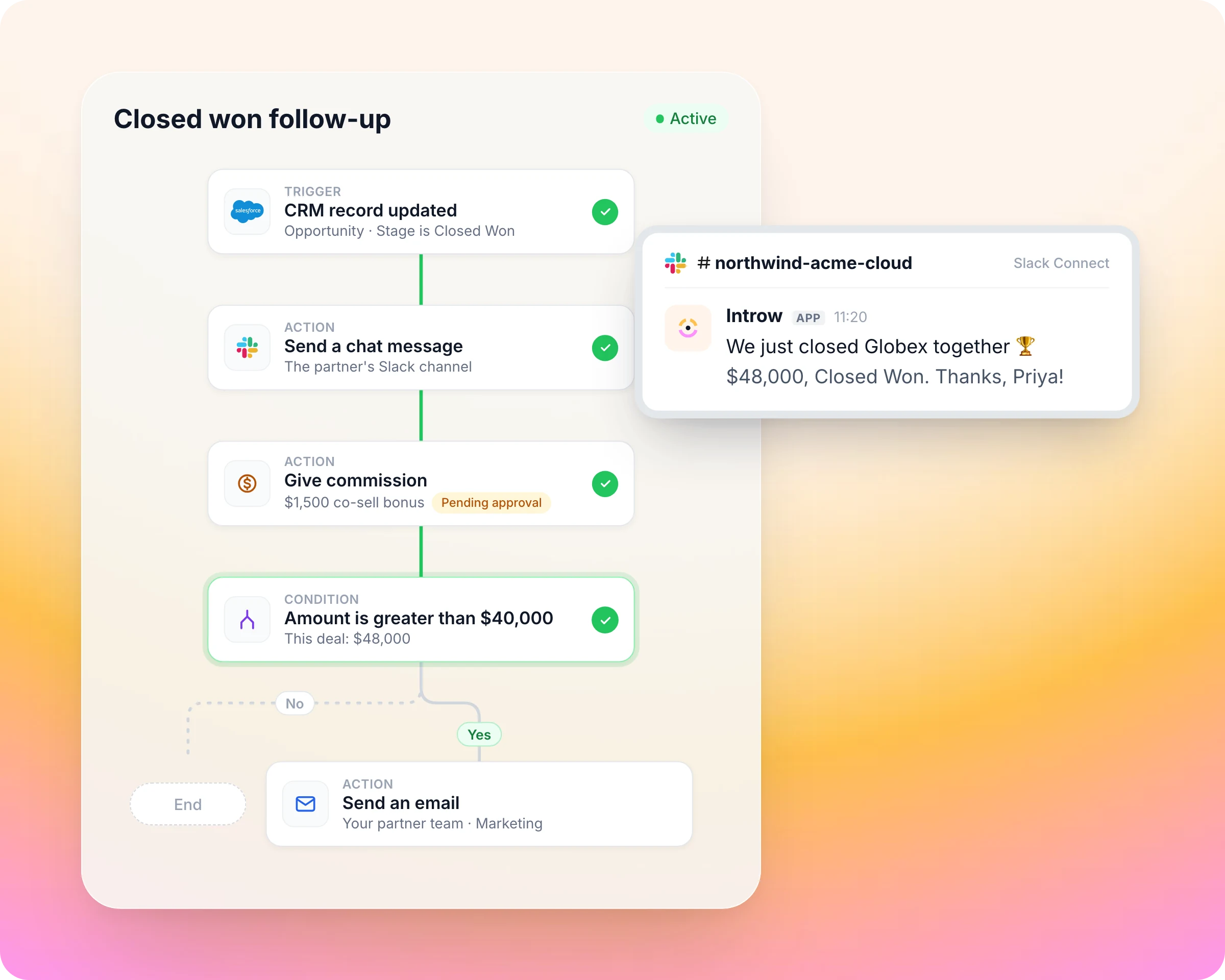
Partner workflow automation
A workflow books a fixed commission line when a deal closes or a partner finishes onboarding, and it lands as pending for your review.
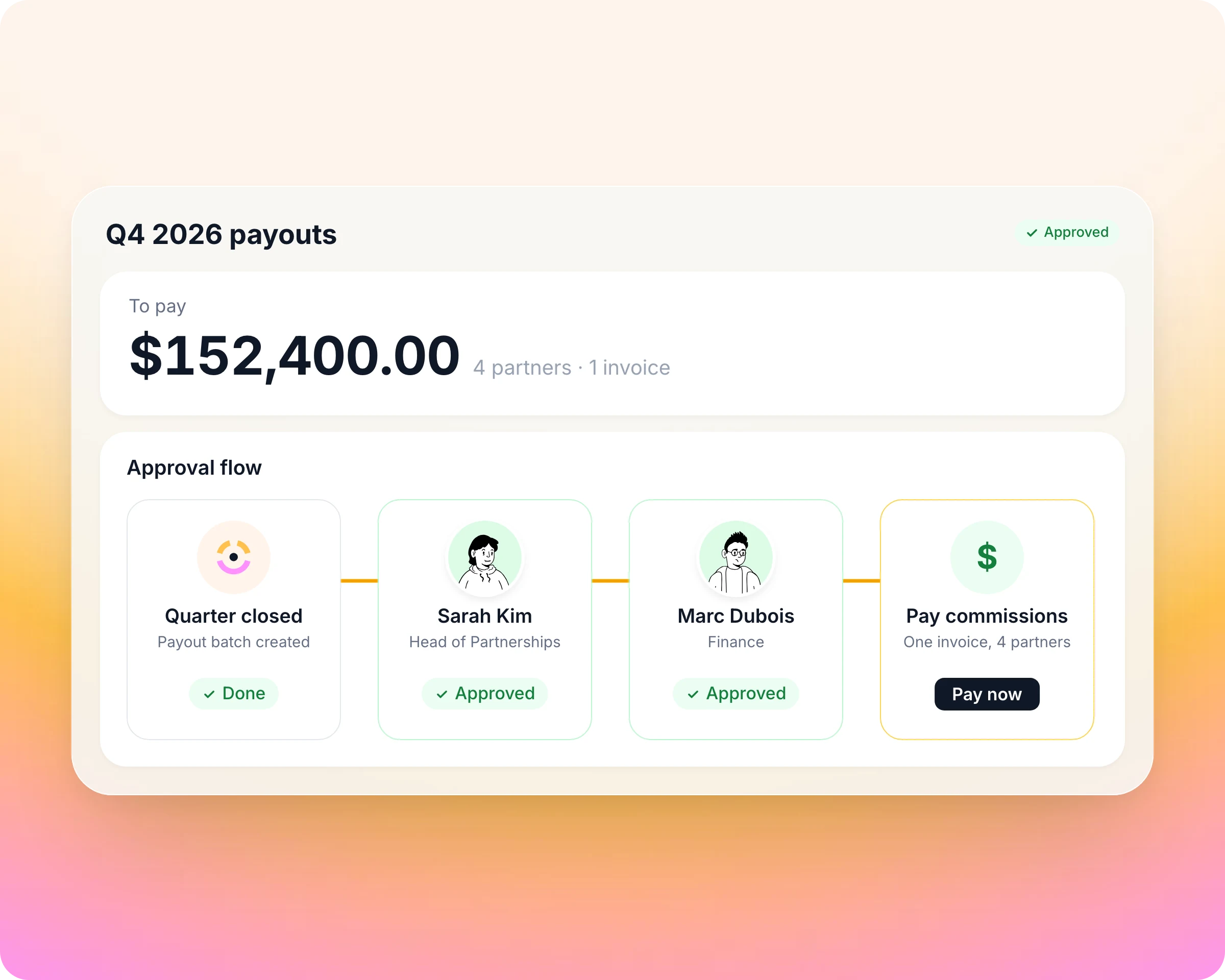
Partner payouts with Introw Pay
Approved lines batch into payouts, and Introw Pay settles the whole batch from one invoice, in each partner's currency.
Partner reporting and dashboards
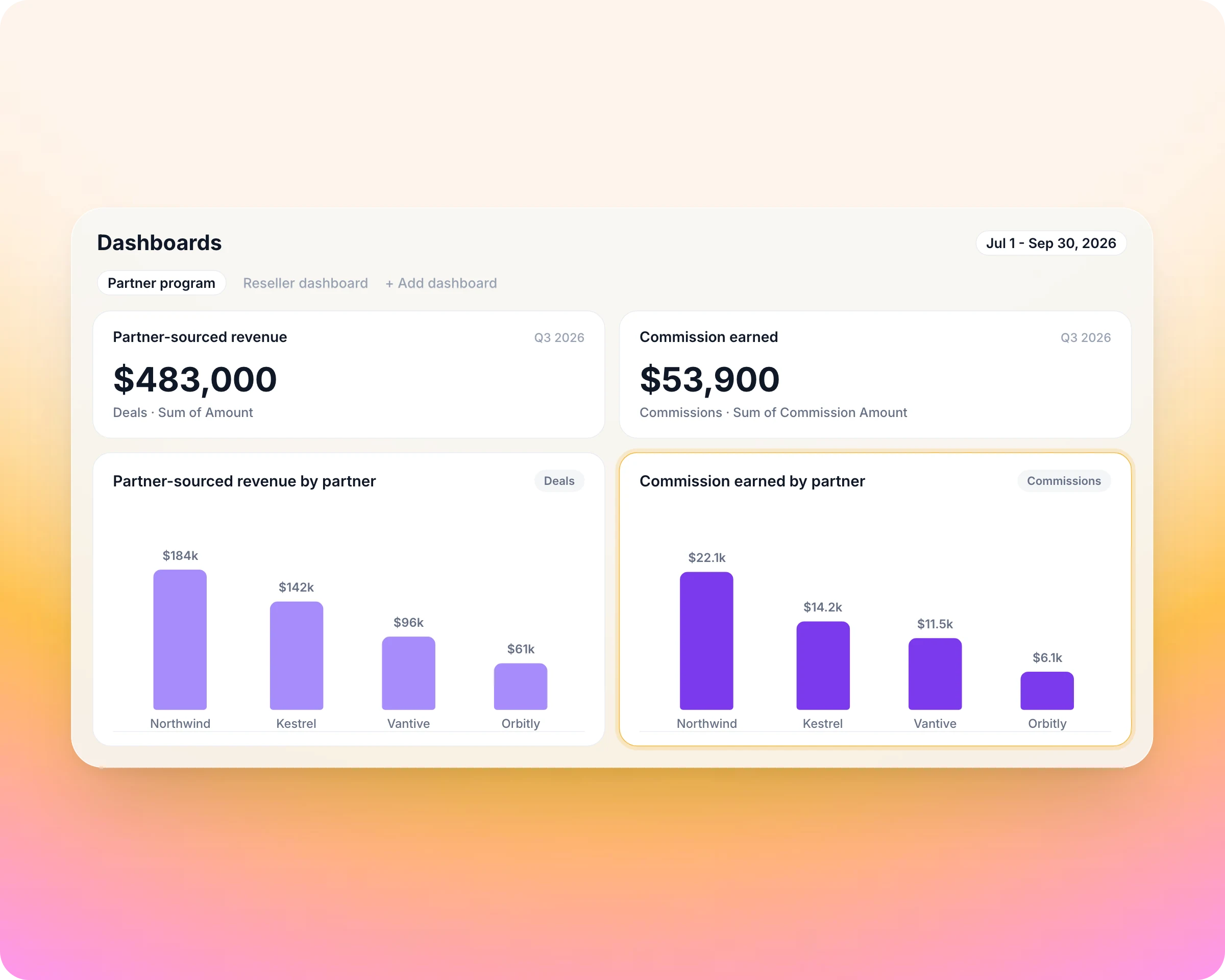
Commissions are a report builder source, and earned commission rolls into each partner's analytics, next to the revenue that produced it.
Run it from your AI assistant
Ask Claude, ChatGPT or another assistant connected to Introw over MCP.
Built into HubSpot and Salesforce
Run another CRM? Connect it through the API or Zapier, or start without a CRM and add one later.

Introw for HubSpot
Introw reads and writes your own HubSpot objects and properties, custom objects included, so there is no second partner database. Partners register and co-sell on native deals, and your reps work with them from the Introw card on the record. Rated 4.9 on the HubSpot Marketplace.

Introw for Salesforce
Introw runs on Salesforce as the system of record, with two-way sync, custom-object mapping and field-level control. Partners are portal users, never Salesforce users, so no Experience Cloud build and no external seats. Your reps get partner context and actions in the Introw panel on the record. Listed on Salesforce AgentExchange.
Introw connects to the tools your team and partners already use
CRM
HubSpot and Salesforce, two-way on your own objects and fields.
Chat
Slack, Microsoft Teams and WhatsApp. Partners register deals, get updates and ask questions in the channel they already watch.



AI assistants
Claude, ChatGPT and any assistant that supports MCP, for your team and your partners, under the same permissions.



Payouts and billing
Introw Pay for partner payouts; Stripe and Chargebee feed commissions from billing data.



Data and account mapping
Crossbeam overlaps inside Introw, Power BI embedded with per-partner row-level security.


Agreements and automation
DocuSign for agreements as an onboarding step, Zapier and a versioned REST API for the rest.

Built for every role on your partner revenue team

Channel Partner Manager


CRO

RevOps

Partner Marketing Manager
What Introw customers say


"Partner activity jumped from 20% to 70%. It molds to how we work, and that shows up directly in engagement."



"We went from 10 partners to over 200 in a year. Introw gave us the structure to scale that fast without adding headcount."



"3,5x growth in partner activity, great partner experience, amazing support and flawless HubSpot integration."

Introw fits your program at every stage
The same platform runs a first program and a global channel, so you start where you are and never re-platform.

Launching a program
You are moving off spreadsheets, often as a team of one. You go live in weeks with no implementation project: deal registration, a branded portal, onboarding and content, configured by your team.

Scaling from tens to hundreds of partners
You run several motions at once. Segments, tiers, MDF, commissions and workflows run on one platform, and your team ships changes the same day without a consultant.

Enterprise and global channel
Thousands of partners across regions and teams. SAML and OIDC SSO, SCIM, role-based access with record scoping, multi-step approvals, multiple currencies and languages, and a white-label portal on your domain.
Pricing that stays predictable as you grow
The whole product at the scale of one partner, with no time limit and no credit card.
Invite as many of a partner's people as you like.
CRM-only roles that need partner context in HubSpot or Salesforce do not take a seat.
MCP for Claude, ChatGPT and your partners' assistants is not an add-on.
Your partner team configures forms, portals, tiers and workflows without code.

Run your first commission plan on your own CRM
Connect HubSpot or Salesforce on the free plan: the whole product at the scale of one partner, no time limit, no credit card.
More on running a partner program
Frequently asked questions
It calculates what partners earn and pays them. In Introw, commission plans read deals from HubSpot or Salesforce or invoices from Stripe or Chargebee, and create a line for every qualifying record. Approved lines batch into one payout per partner, paid through Introw Pay or your own finance stack.
Create a commission plan with a one-time bonus as the reward, set the conditions that qualify, such as a product or a date range, and enrol the partners it applies to. Introw creates a line for each qualifying deal. For event-driven bonuses, a workflow books a one-off commission line instead.
Yes. A plan can target rates by tier, by segment or by individual partner, with caps and installments for recurring rewards. Editing a plan creates a new version, so lines already calculated keep the terms they were priced on.
Yes. Connect Stripe or Chargebee and a plan reads customers, subscriptions and invoices, so commission follows revenue actually billed. Connecting Stripe for billing pays nobody: paying partners is Introw Pay, which has nothing to connect.
Introw credits the reseller and the distributor as two attributions on the same CRM deal, and a commission plan can split commission across both tiers. Every line traces back to that one deal, and each partner sees their own earnings in their portal.
Partners see forecasted, expected, upcoming and paid earnings in their portal, with the deals behind each line and a statement for every payout. They can also ask an AI assistant connected over MCP where a commission stands.
Yes. Keep manual invoicing and Introw still calculates, batches, produces statements and tracks status. Finance pays from a CSV export or through the API and marks payouts paid, so partners see the same status as with Introw Pay.
See AI-Native PRM in Action
Connect HubSpot or Salesforce on the free plan: the whole product at the scale of one partner, no time limit, no credit card.