
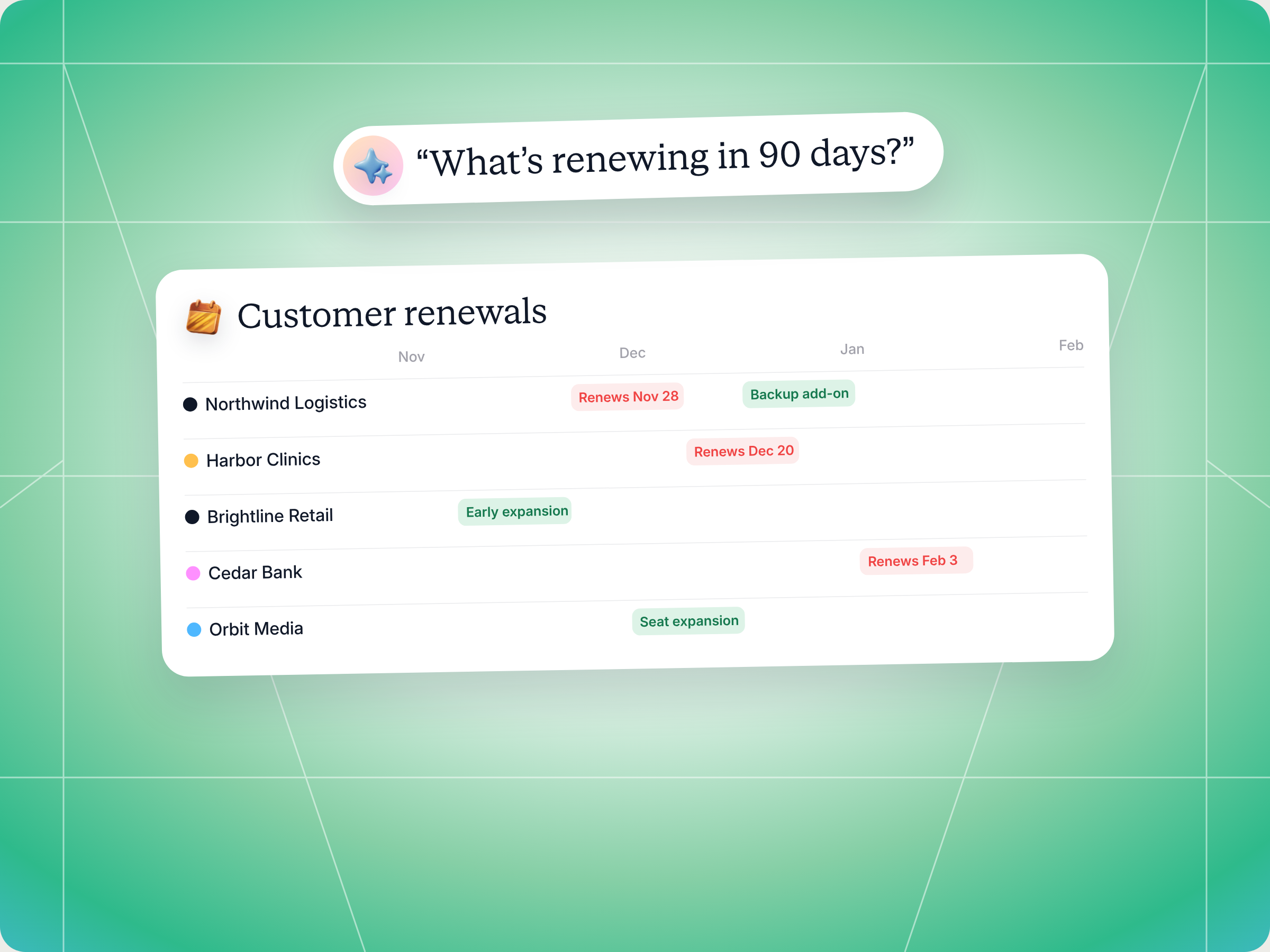
If you resell or co sell for several vendors, the Claude skill to use is the Renewal and Expansion Coordinator. It pulls every customer you've sold through every vendor portal you can access, builds one renewal calendar sorted by urgency, flags churn risk, ranks expansion plays, and drafts the customer message and the vendor ping for each priority account. You review and approve before anything goes out or gets logged. The full SKILL.md is below, free to copy, along with install steps, prompts to try, and what you'll get back.
Here's a number every reseller should know. Research from Frederick Reichheld of Bain & Company, cited in Harvard Business Review, found that increasing customer retention rates by 5% increases profits by 25% to 95%. The same article notes that acquiring a new customer can cost five to 25 times more than keeping an existing one.
Now picture your own installed base. You sell security for one vendor, observability for another, and a couple of smaller tools on the side. Each vendor tracks renewals in its own portal. Some of the dates live in a spreadsheet your ops lead built two years ago. A customer you love is up for renewal in three weeks, and you find out when the vendor's account manager emails you asking why nobody has been in touch.
Sound familiar? How many renewals and expansion windows are you missing simply because the data sits in six different places?
This guide covers what good renewal management looks like for partners who sell across vendors, the Claude skill that does the legwork, how it works step by step, the full SKILL.md you can copy, how to install and run it, and how to stay in control of what it drafts.
What renewal management and contract renewal look like across many vendors
Renewal management is the process of tracking every upcoming contract renewal, reaching customers early, and using the renewal conversation to protect and grow revenue. It covers the whole contract lifecycle, from the existing contract and its notice periods to the renewal negotiations and any expansion revenue that comes with them. For a vendor, that's one product and one CRM. For a reseller, MSP or services partner, it's every product you've sold, across every vendor relationship your business has.
That's where the classic renewal management process breaks. Contract renewals, notice periods and contract terms all sit in each vendor's portal. Your own team holds the customer relationship and the context. Nobody holds the full picture, so renewal tracking becomes a monthly scramble instead of a calm, planned motion.
The cost is real. A missed renewal is lost revenue you already earned once. A late one usually means a rushed renewal negotiation with less leverage. Missed deadlines on notice periods can also lock a customer into an auto renewal they didn't want, which hurts customer loyalty long after the contract renewal date passes. And a customer who hears from three of your reps about three products in the same month starts to wonder whether you know their business at all.
Effective renewal management for partners usually comes down to five habits:
- One centralized system: every customer, every vendor, every contract end date and contract value in one view, instead of logging in to each portal.
- Early timing: start the renewal conversation 90 days out for strategic accounts, and never later than 30 days for anyone.
- Health before pitch: check usage patterns, recent support tickets and customer feedback before you raise an upsell. A customer showing churn risk needs a retention plan, not a new SKU.
- Coordinated outreach: if a customer renews one vendor while another vendor has something that fits, bring both into one strategic conversation.
- A clear vendor handoff: loop in the vendor's channel account manager early when you need pricing approval, a solutions engineer or legal review.
None of this is new. The hard part is doing it consistently across a customer base that spans five or more vendors, which is why most companies end up treating renewals as admin instead of growth. Effective renewal management turns that admin into a repeatable renewal process your whole company can follow.
Why renewals and expansion revenue drive partner growth
For a reseller, renewals are where margin compounds. You paid the customer acquisition costs once, on the first deal. Every renewal after that earns revenue on an existing customer relationship you already built, and every expansion adds more on top. Selling to existing customers is cheaper than winning new customers, and loyal customers tend to buy more over time. The skill's own guidance puts it plainly: partners who actively manage renewals and expansions across their installed base earn two to three times more customer lifetime value than partners who sell, ship and forget.
That's also why expansion revenue and net revenue retention matter so much to vendors, and why they reward the partners who move those numbers. Expansion revenue is the additional revenue you earn from current customers through upsells, cross sells and add ons. For SaaS companies it's often the biggest lever on total revenue, and for partners reselling the products of SaaS businesses, it's where each customer contributes the most margin. Here's how the motions compare:
| Motion | When it happens | What it needs | Main risk |
|---|---|---|---|
| Renewal | 30 to 180 days before contract end | Health check, value recap, confirmed decision maker | Silent lapse or a late, rushed negotiation |
| Upsell | Off cycle or at renewal | Growing usage, a higher plan or new features that fit | Pitching an unhappy account |
| Cross sell | When a vendor launches something adjacent | A clear fit with the customer's stated needs | Splintered pitches from several reps |
| Multi vendor attach | When renewal on one vendor lines up with expansion on another | Coordinated outreach and both vendors in the loop | Leaking one vendor's data to another |
Upsell and cross sell are where most of the additional revenue sits, but only when the account is healthy. Push an expansion to a customer who's already unhappy and you increase churn risk instead of revenue. Good renewal management protects the base first, then grows it. A smart cross sell starts with customer behavior and product adoption: if a team uses half of what they bought, additional features won't land. If usage is climbing, the cross sell almost sells itself, and expansion revenue follows.
Renewal management best practices across the customer lifecycle
Renewal management doesn't start 90 days before the contract renewal. It starts the day the deal closes. These best practices hold up whether you resell one vendor or ten:
- Start at customer onboarding: record the existing contract terms, notice periods and decision makers when the deal closes, not three weeks before renewal time.
- Segment your customer base: use customer segmentation by contract value, vendor and health, so strategic accounts get engagement plans and smaller ones get a lighter renewal process.
- Bring performance data to every renewal: a short performance analysis covering usage, outcomes and the other metrics the customer cares about turns renewal negotiations into a value conversation.
- Make it cross functional collaboration: sales, customer success and your vendor's account manager should share one view of every customer, not three versions of it.
- Plan expansion revenue per account: decide which accounts get an upsell, which get a cross sell, and which need retention first, before anyone picks up the phone.
Customer churn signals that hurt the customer experience
Customer churn rarely arrives without warning. Watch for low engagement in the product, falling product adoption, a champion who left, a spike in support tickets, and negative customer feedback. Each one is a reason to slow down any upsell and fix the customer experience first. Catching them early is the simplest way to reduce churn before the contract renewal comes up.
Approval workflows that keep contract renewals on time
Many renewals slip because nobody agreed who signs off. Set approval workflows with each vendor upfront: who approves discounts, multi year terms and legal review, and how fast finance teams on both sides respond. Clear renewal workflows are a crucial part of effective renewal management, because they stop good renewals from going late.
Renewal management metrics to track
| Metric | What it measures | Why partners care |
|---|---|---|
| Renewal rate | The share of contracts up for renewal that actually renew | The core renewal management number |
| Gross revenue retention | Revenue kept from current customers, excluding expansion | Shows how much revenue you protect |
| Net revenue retention | Kept revenue plus expansion revenue, minus churn and downgrades | Shows whether your customer base grows on its own |
| Expansion revenue | Additional revenue from upsells and cross sells | Where customer lifetime value compounds |
| Churn rate | The share of customers or revenue lost | The cost of missed renewals |
Most organizations track these per vendor, if at all. For a partner, the real picture only shows up when you add them up across your whole customer base, and that's the job the skill below does for you.
The skill to use: Renewal and Expansion Coordinator
The Renewal and Expansion Coordinator is a partner side skill from Introw's free Claude skill library. It connects to every vendor portal you have access to through Introw Partner Connect, reads your installed base with each vendor, and turns it into one renewal calendar, one action queue and a ranked list of expansion plays.
| Detail | Summary |
|---|---|
| Built for | Partnerships leads, partner sellers and customer success managers at resellers, MSPs and services partners |
| Use it when | You want one view of upcoming renewals, expansion windows and at risk accounts across every vendor |
| What it reads | Closed won deals, renewal stage records, engagement, registrations in flight, vendor tasks and commission history, per vendor portal |
| What it writes | Comments on the relevant vendor portal and a prefilled deal registration, only after you confirm |
| What you get | A renewal calendar, a weekly action queue, ranked expansion plays, coordinated multi vendor pitches, drafted outreach and at risk callouts |
| Skill ID | partner-renewal-and-expansion-coordinator |
It fires on prompts like "upcoming renewals", "what's renewing in 90 days", "expansion windows across vendors", "customer renewal calendar", "at risk customer accounts" and "customer base review across vendors".
If you're a reseller partner or an MSP with recurring customer relationships, this is the skill that keeps renewal tracking, renewal workflows and expansion revenue in one place without another spreadsheet. Think of it as a centralized system for renewal management across every vendor and service you sell.
How the skill works, step by step
The skill follows six steps. You don't run them yourself, but knowing what happens helps you trust the output and spot gaps in your data.

Step 1: Find every vendor portal
The skill starts by listing every vendor portal you can access through Introw. Each vendor is its own room, and the skill keeps the data from each one separate as it works.
Step 2: Pull customer and contract data per vendor
For each portal, it reads your closed won deals (your installed base with that vendor), any contract end dates and renewal stage records, recent engagement on those accounts, expansion or upsell registrations already in flight, vendor tasks tied to renewals, and your commission history per account. The commission data shows which accounts pay renewal cycle commissions and which were one time deals.
Step 3: Classify every customer and vendor pair
Each customer and vendor combination gets a status: active, approaching renewal, in renewal, lapsed or expansion eligible. The skill adds the renewal date and days remaining, contract value and expected renewal value where it's visible, expansion signals like a new vendor SKU or growing usage, health signals like declining usage or support tickets, and the last time your team touched the customer about that product.
Step 4: Build the unified renewal calendar
Everything lands in one calendar, grouped by urgency:
| Window | What it means | What to do |
|---|---|---|
| In renewal now or past due | The contract is ending or already lapsed | Drop everything, this is the top priority |
| Renewing in 30 days | Close enough to slip | Put it in this week's action queue |
| Renewing in 30 to 90 days | The pre renewal window | Confirm intent, open expansion conversations |
| Renewing in 90 to 180 days | Time to plan | Early expansion and multi product attach plays |
| Expansion eligible, off cycle | A vendor launched something that fits | Raise it outside the renewal timing |
Step 5: Rank the expansion plays
For customers with expansion signals, the skill ranks each play by customer health (no upsell for at risk accounts), adjacent product fit, whether there's a multi vendor attach opportunity, and effort versus revenue impact. A typical attach play: the customer renews one vendor's security product, and you pitch another vendor's observability layer on top.
Step 6: Recommend the next move per customer
For the top renewals and expansion plays, you get an outreach plan (who to contact, when and what to lead with), a coordinated pitch when two vendors line up, a drafted customer message, a drafted ping to the vendor's channel account manager when you need pricing or a solutions engineer, and a prefilled deal registration if the expansion is likely to land. Nothing is submitted until you confirm.
Get the skill: the full SKILL.md
Here's the complete skill file. Copy it as is, or adjust the windows and ranking to match how your team runs renewals.
---
name: partner-renewal-and-expansion-coordinator
description: Use when a partner who resells / co-sells ongoing services wants a unified view of customer renewal dates, expansion windows, and at-risk accounts across every vendor they work with, so they can coordinate proactive outreach before renewals lapse and surface expansion plays at the right moment. Trigger phrases include "upcoming renewals", "expansion windows across vendors", "customer renewal calendar", "what's renewing in 90 days", "at-risk customer accounts", "expansion opportunities", "customer base review across vendors".
---

# Renewal & Expansion Coordinator (Partner)

**Audience**: Partner user, uses **Introw Partner Connect** MCP across **all portals** the partner has access to.
**Use case**: 04, Activation (partner-side, multi-vendor, applies to ongoing customer-relationship motions: SaaS resell, MSP, services-led).

## When to use this skill

Use when a partner who resells / co-sells ongoing services wants a unified view of customer renewal dates, expansion windows, and at-risk accounts across every vendor they work with, so they can coordinate proactive outreach before renewals lapse and surface expansion plays at the right moment.

**Sample prompts that fire this skill:**
- "upcoming renewals"
- "expansion windows across vendors"
- "customer renewal calendar"
- "what's renewing in 90 days"
- "at-risk customer accounts"
- "expansion opportunities"
- "customer base review across vendors"

## Why this matters
Renewal and expansion revenue is where partner P&L compounds, a partner who actively manages renewals + expansions across their installed base earns 2 to 3× more lifetime customer value than one who sells, ships, and forgets. But for partners with customers across 5+ vendors, the calendar is impossible: each vendor's contract renewals are tracked in that vendor's portal (or worse, in the partner's spreadsheet), and the expansion windows aren't always known until the vendor announces a feature push.

This skill aggregates: every customer × every vendor × every renewal/expansion window in one view, sorted by what to act on now. Renewal slippage is the silent killer of partner P&L; this skill makes it visible early.

## Process

### Step 1: Enumerate vendor portals
- `Introw_Partner_Connect:partners`: get all portals.

### Step 2: Pull customer + contract state per portal
For each `roomId`:
- `Introw_Partner_Connect:search_crm_objects`: closed-won deals (the partner's installed base with this vendor); contract end dates if encoded; renewal-stage records.
- `Introw_Partner_Connect:search_partner_engagement`: recent activity on those accounts.
- `Introw_Partner_Connect:search_form_submissions`: any expansion/upsell registrations already in flight.
- `Introw_Partner_Connect:search_tasks`: vendor-assigned tasks tied to renewal/expansion motions.
- `Introw_Partner_Connect:search_commissions`: commission history per account (renewal-cycle commissions vs. one-time).

### Step 3: Classify each customer × vendor relationship
For each customer-vendor pair:
- **Status**: active subscription / approaching renewal / in renewal / lapsed / expansion-eligible.
- **Renewal date** (if known) and **days remaining**.
- **Annual contract value** (if visible) and **expected renewal value** at current usage.
- **Expansion signals**: has the vendor launched a relevant new SKU? Has the customer's usage grown? Is there an adjacent product the partner could attach?
- **Health signals**: usage trending up vs. down (where vendor data exposes this); recent customer service tickets; CSM red-flags.
- **Partner action history**: when did the partner last touch the customer about this vendor's product?

### Step 4: Build the unified calendar
- **In renewal now / past due**: drop everything. Highest urgency.
- **Renewing in 30 days**: action queue this week.
- **Renewing 30 to 90 days**: pre-renewal motion, confirmation outreach, expansion conversations.
- **Renewing 90 to 180 days**: strategic, early expansion plays, multi-product attach.
- **Expansion-eligible (off-cycle)**: customers where a vendor has launched something attachable.

### Step 5: Score expansion-play priority
For expansion-eligible customers, rank by:
- **Customer health** (don't push expansion to an at-risk account).
- **Adjacent-product fit** (vendor's new SKU matches customer's stated needs).
- **Multi-product attach motion** (expansion across vendors, e.g., customer renews Vendor X security, partner pitches Vendor Y observability layered on top).
- **Effort vs. revenue impact**.

### Step 6: Recommend per-customer next move
For top-priority renewals + expansion plays:
- **Outreach plan**: who at the customer to contact, when, what to lead with.
- **Coordinated multi-vendor pitch** if the customer is renewing one vendor and expansion-eligible on another, frame as a strategic conversation rather than disjoint pitches.
- **Drafted message** to the customer, copy-pasteable.
- **Drafted CAM ping** to the relevant vendor if the partner needs vendor SE / pricing engagement to close.
- **Pre-stage registration**: if expansion is likely to land, pre-fill the deal-reg payload via `share_lead_or_register_deal`.

## Output format
- **Renewal calendar across vendors**: table with customer, vendor, contract end, current ACV, days remaining, status, urgency.
- **Action queue this week**: top 5 to 10 by urgency.
- **Expansion plays**: customers with expansion-eligible signals, ranked.
- **Coordinated multi-vendor pitches**: accounts where 2+ vendors line up for a single conversation.
- **Drafted outreach + CAM pings** per priority item.
- **At-risk callouts**: customers showing churn signals, surfaced for vendor partnership.

## Guardrails & PRM best practice
- **Strictly scoped per portal.** Each customer-vendor relationship is fetched with that vendor's `roomId`. The aggregated view is the partner's local synthesis.
- **Customer-confidential data stays scoped.** If the partner can see the customer's usage / renewal numbers in a vendor's portal, that data doesn't get echoed into another vendor's portal or any third-party communication.
- **Don't push expansion to at-risk customers.** A churn-flagged customer needs retention motion, not an upsell pitch. Surface health signals clearly; the partner picks the play.
- **Renewals are not assumptions.** Just because a contract is approaching renewal doesn't mean the customer renews. Don't pre-stage commissions; surface as opportunity.
- **Multi-vendor coordination respects the customer's reality.** A customer doesn't want 6 separate sales pitches in a quarter, the partner's value is in coordinating into one strategic conversation. Recommend that, not splintered outreach.
- **Don't surface vendor-confidential roadmap to customers.** Some vendors share advance feature info with partners under embargo. Expansion plays grounded in those features must respect the embargo date.
- **Capture customer-side commitments separately.** When the customer commits to a renewal or expansion, log the partner's-eye-view via `add_comment` on the relevant vendor portal. Don't auto-create the registration, let the partner confirm the deal first.
- **Don't auto-pitch at customer.** Drafts are starting points; the partner edits + sends with relationship voice.
- **Run on cadence.** Monthly default; weekly during heavy renewal quarters.
- **Cross-skill handoff.** Pre-staged registrations → `partner-register-deal` flow. In-flight expansion deals → `partner-deal-war-room` for coaching. Customer at risk → escalate to vendor CSM via `partner-helpdesk` or direct CAM.
How to install and run the skill
You've got two ways to use it, depending on how your team works.
Option 1: Claude Code
Create a folder called partner-renewal-and-expansion-coordinator inside .claude/skills/ in your repo, and save the file above as SKILL.md inside it. Claude Code picks it up and runs it whenever your prompt matches one of the trigger phrases in the description.
Option 2: Claude (or any MCP client) with the Introw connector
Most partner sellers and customer success managers won't touch a repo, and they don't need to. If your vendors run their programs on Introw, connect Claude to your Introw partner account once and work every vendor portal you can access in plain language. Here's how connecting looks:
The Connect Claude guide walks through the setup, the partner version of the steps lives in the partner Connect Claude guide, and the Claude integration page covers what else you can do once connected.
Prompts to try
Once Claude is connected or the skill is installed, try any of these:
- "What's renewing in 90 days?" Builds the renewal calendar across every vendor, sorted by urgency.
- "Upcoming renewals this week, with drafted outreach." Gives you the action queue plus a message per customer.
- "Expansion windows across vendors." Ranks the customers where an upsell or cross sell makes sense right now.
- "At risk customer accounts." Surfaces customers with churn signals so you can plan retention first.
- "Customer base review across vendors, but don't log anything yet." Gets you the full picture as drafts to review.
What you'll get back
A typical run returns six things:
- Renewal calendar across vendors: customer, vendor, contract end, current ACV, days remaining, status and urgency.
- This week's action queue: the top five to ten renewals to work now.
- Ranked expansion plays: customers with expansion signals, ordered by health, fit and revenue impact.
- Coordinated multi vendor pitches: accounts where two or more vendors line up for one conversation.
- Drafted outreach and vendor pings: a customer message and a note to the vendor's channel account manager for each priority item.
- At risk callouts: customers showing churn signals, flagged so you can bring the vendor in early.
Here's an illustrative example of the top of a renewal calendar:
| Customer | Vendor | Contract end | ACV | Days left | Status | Urgency |
|---|---|---|---|---|---|---|
| Northwind Logistics | Vendor A (security) | Nov 28 | $48,000 | 19 | Approaching renewal | This week |
| Harbor Clinics | Vendor B (observability) | Dec 20 | $31,000 | 41 | Approaching renewal, usage down | At risk, retention first |
| Northwind Logistics | Vendor C (backup) | Expansion eligible | $12,000 | Off cycle | New SKU fits stated needs | Bundle with Vendor A renewal |
| Brightline Retail | Vendor A (security) | Mar 2 | $22,000 | 113 | Active | Plan early expansion |
And a drafted outreach line for Northwind: "Your security renewal is up at the end of the month. Before we sort the paperwork, can we spend 30 minutes on how things have gone this year, and on the backup gap your team raised in September?"

Staying in control: what Claude can and can't do
You're working with customer data from several vendors, so control matters. Here's what's built in:
- You approve the writes. The skill drafts messages, comments and registrations. Nothing is logged to a vendor portal or submitted until you confirm.
- It stays inside your access. Claude connects to Introw over OAuth as you, so it only sees the portals and records you can already see.
- Each vendor stays separate. Data is fetched per portal, and one vendor's renewal or usage numbers never get echoed into another vendor's portal or any third party message.
- No upsell to unhappy customers. If an account shows churn risk, the skill recommends a retention play, not an expansion pitch.
- Renewals aren't assumed. It won't pre stage commissions on a renewal that hasn't been confirmed.
- Embargoes are respected. If a vendor shared roadmap details under embargo, expansion plays built on them wait for the release date.
- You keep the relationship voice. Drafts are starting points. You edit and send them yourself.
Prefer to do this in the Introw app?
Renewal work often runs on shared deals between you and the vendor. In Introw, the vendor can add tasks to a shared deal, set due dates, and assign them to their own rep or to you, with notifications when a task is due or overdue. It's a simple way to keep renewal follow up visible to both sides.
If you're on the vendor side, renewal attribution and gross revenue retention are worth tracking so partners get credit for the renewals they protect.
Pair it with other Claude skills
Renewal work rarely ends with one calendar. The skill hands off cleanly to other partner side skills:
- Register Deal: when an expansion is ready, this skill submits the prefilled registration to the right vendor so your deal registration is protected.
- Deal War Room: for in flight expansion deals, it builds a full coaching packet with competitive position and objection handling.
- Partner Helpdesk: when a customer is at risk, it routes the issue to the vendor's support or customer success team.
- Pre QBR Self Prep: brings your renewal and expansion wins into your next quarterly review with each vendor.
You'll find all of them in Introw's skill library, and our roundup of Claude skills for partner teams explains how they fit together.
Run your vendor relationships from Claude with Introw
Introw is a CRM first partner relationship management platform, which means it builds on top of your existing HubSpot or Salesforce setup rather than replacing it. It's also headless by design: the partner portal is one surface, but partners and vendors can run the same work in plain language from Claude, ChatGPT, Slack or Teams through Introw's MCP server, with every action written back to the CRM.
For partners, that means one login to every vendor that runs its program on Introw. The installed base, renewal records, registrations, tasks and commissions this skill reads all sit behind that connection, so your renewal calendar is built on live data instead of a spreadsheet someone updated last quarter. You see how much revenue is up for renewal, which existing customers are ready for expansion, and where your renewal management needs attention this month. It's how co selling across vendors stops being a juggling act.
Connect Claude to your vendor portals and build your first cross vendor renewal calendar today. Connect Claude or book a demo.
Still curious? Here are some quick answers to help clear things up
Renewal management is the process of tracking upcoming contract renewals, reaching customers early, and using each contract renewal to protect revenue and open expansion revenue. For partners, renewal management means doing that across every vendor you sell for, in one view.
Start 90 days out for strategic accounts and no later than 30 days for anyone else. The skill groups renewals into in renewal, 30 days, 30 to 90 days and 90 to 180 days so you always know what to work this week.
No. Claude Code users can drop the SKILL.md into their skills folder. Everyone else can connect Claude to their Introw partner account and run the same play in plain language.
No. It drafts customer messages, vendor pings, comments and registrations, and you confirm before anything is sent, logged or submitted.
Yes. The full file is in this article and in Introw's skill library. You can copy it as is or adapt it, but it reads live data from your vendor portals through Introw's MCP server, so your vendors need to run their programs on Introw for it to work.





See AI-Native PRM in Action
Book a demo with one of our partner program experts, or explore Introw on your own time.

