

QBR preparation shouldn't eat your whole week. The QBR Preparation Claude skill pulls pipeline, goals, engagement, commissions, tier progress and mutual action plan status for a partner, puts the risks at the top, and drafts a recommended agenda you can take straight into the meeting. Run it for one partner, or sweep your whole book so every partner gets a real quarterly business review. You edit and approve before anything is logged or shared. The full SKILL.md is below, free to copy, with install steps, prompts to try and an example of what you'll get back.
Here's the math nobody puts in the partner plan. Introw's QBR and meeting prep playbook puts manual QBR preparation at 2 to 4 hours per partner. For a partner manager with 30 partners and quarterly reviews, that's 240 to 480 hours a year spent on prep alone. No wonder most programs only reach 20 to 30% real QBR coverage.
You've probably lived it. It's the last week of the quarter, you've got six QBRs booked, and you're exporting pipeline from the CRM, digging goals out of a spreadsheet and asking finance where commissions stand. Your Gold partners get the full treatment. Everyone else gets a check in email and a "let's catch up next quarter".
What if the data assembly took seconds, and you spent your time on the part that actually needs you?
This guide covers what good QBR preparation looks like, the Claude skill that does the heavy lifting, how it works step by step, the full SKILL.md you can copy, how to install and run it, and how you stay in control of what it produces.
What good QBR preparation looks like
A quarterly business review with a partner isn't a status update. It's the meeting where you both look at the same numbers, name what isn't working and commit to a plan for the next 90 days. The prep decides whether that happens.
Strong QBR preparation for a partner usually covers seven things:
- Pipeline and revenue: actuals against plan, top deals, expansion opportunities and any slipped or lost deals, with the reason they slipped.
- Goals and the joint plan: progress on committed goals and the milestones in your mutual action plan, marked complete, blocked or due.
- Activity and engagement: deal registrations, training completed, events attended and content used, compared with similar partners.
- Tier trajectory: where the partner sits today, how far they are from the next tier, and what unlocks when they get there.
- Commissions: paid, accrued and projected, plus anything that's been waiting too long.
- Action items: three to five commitments for next quarter, each with an owner and a date.
- A recommended agenda: the three to five topics the data says you should actually talk about.
For the meeting structure itself, see our partner QBR template. This article covers the step before it: filling the template with real data, for every partner, without losing a week.
Manual prep vs. skill assisted prep
| What changes | Manual QBR preparation | With the QBR Preparation skill |
|---|---|---|
| Time per partner | 2 to 4 hours of data assembly | Seconds for the draft, about 15 minutes of editing |
| Coverage | Top tier partners, plus whoever shouts loudest | Every partner in your book, Gold to long tail |
| Data depth | Thinner the further down the tiers you go | The same depth for every partner |
| Risks | Often buried on slide 14 | Flagged in the executive summary |
| Agenda | Last quarter's agenda, lightly edited | Built from this quarter's data |
| After the meeting | Notes in someone's inbox | Comments and tasks logged on the partner record |
Common QBR preparation mistakes
Even with good intentions, a few habits quietly ruin partner QBRs:
- Rationing by tier: your top partners get a full review and the long tail gets nothing. Yet lower tier partners are often the ones a real review helps most.
- Burying the bad news: a slipping joint plan mentioned in passing on the last slide never gets fixed. Soft pedaling the plan is one of the main reasons joint plans fail.
- Paraphrasing the numbers: when a metric is rounded, guessed or copied from an old report, the partner stops trusting the rest of the deck.
- Hiding the tier path: partners want to know what it takes to move up. Keeping that vague erodes trust fast.
A good partner scorecard and a clear view of channel partner performance help. The rest comes down to having time to prep properly, which is what a skill gives back.
The skill to use: QBR Preparation
QBR Preparation: Single Partner and Book Wide Coverage is a vendor side skill from Introw's free Claude skill library. It connects to your partner data through Introw's MCP server and builds a complete QBR draft from live CRM and partner program data, for one partner or for every partner you manage.
| Item | Details |
|---|---|
| Built for | Partner development managers, channel account managers, partner program managers and channel chiefs |
| Use it when | You're preparing a QBR, MBR or WBR, for one partner or the whole book |
| What it reads | Pipeline and closed deals, goals, engagement, commissions, tier rules, tasks and form submissions like deal registrations and MDF requests |
| What it writes | A comment on each partner record and, if you want them, follow up tasks for action items, after you approve |
| What you get | A sectioned QBR draft with risks at the top, an action item list and a recommended agenda, plus a coverage scorecard in book wide mode |
| Skill ID | vendor-qbr-prep |
It runs in two modes:
- Single partner mode: "Prep QBR for Northwind" gives you one complete draft, ready to paste into slides or a doc.
- Book wide sweep: "Generate this quarter's QBRs" builds one draft per partner, ordered from high touch to transactional, with a scorecard showing where the data is thin.
Other trigger phrases include "QBR sweep across the book", "MBR / WBR prep" and "quarterly business review preparation".
How the skill works, step by step
Knowing what happens under the hood makes the draft easier to trust.
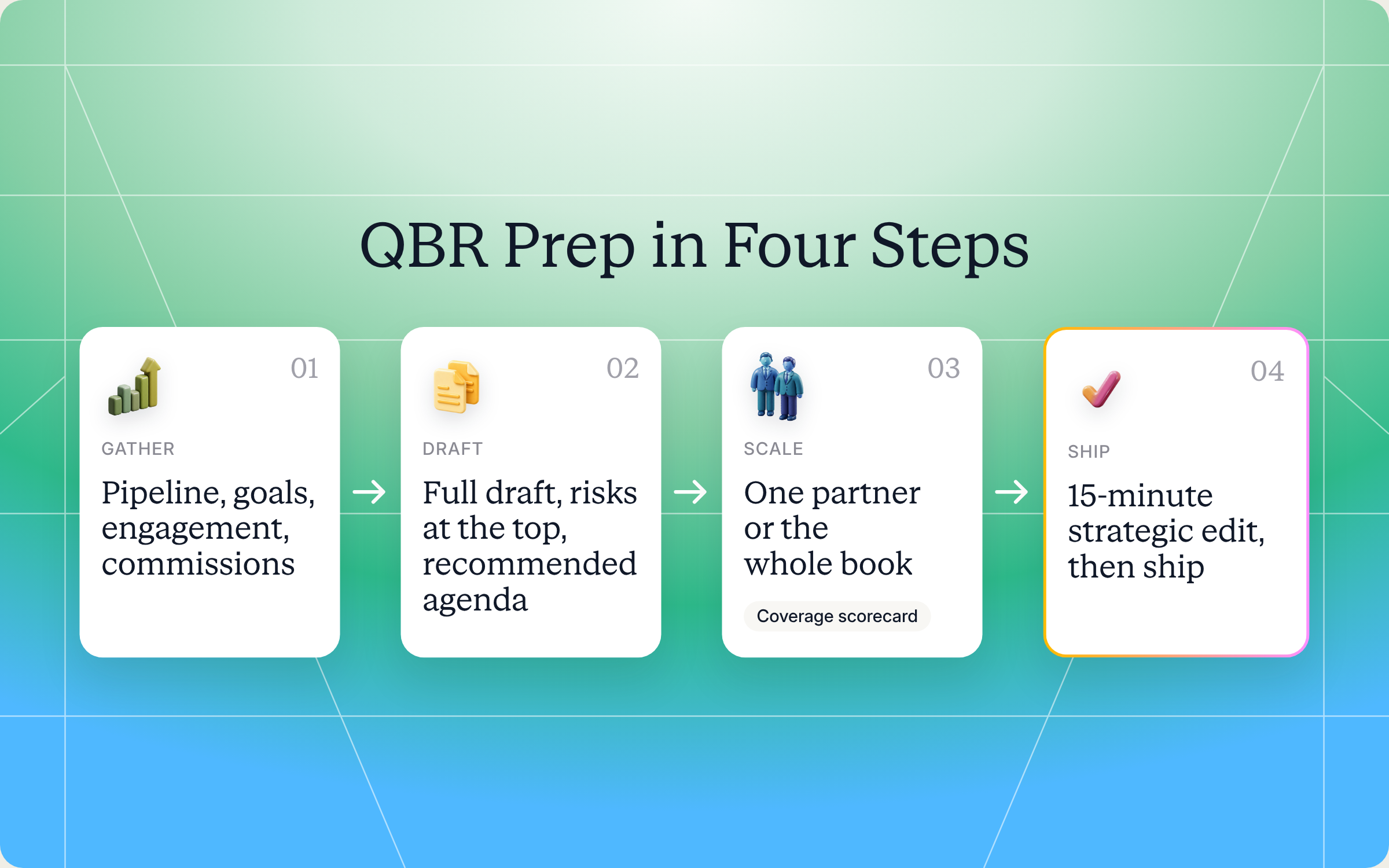
Step 1: Gather the inputs
The skill confirms the mode, the partner or cohort, the review type (QBR, MBR or WBR), the time window (trailing quarter by default) and the audience. Internal prep and a partner facing review are different documents, so it defaults to internal prep if you don't say.
Step 2: Generate the base review
It calls Introw's purpose built business review tool for the partner, or for every partner in the cohort.
Step 3: Enrich it with current data
Next it pulls current data: open pipeline, recent wins, slipped deals and deal velocity against similar partners, goal progress, engagement, commissions, tier status, overdue tasks, and how often the partner registers deals or requests MDF.
Step 4: Assemble the standard QBR sections
Every draft follows the same structure: a three bullet executive summary (state of the partnership, biggest win, biggest risk), pipeline and revenue, goals and the joint plan, activity and engagement, tier trajectory, commissions, next quarter action items with owners and dates, and a recommended agenda with talking points. You get a consistent QBR presentation for every partner, which makes reviews comparable quarter to quarter.
Step 5: Put the risks at the top
This is where the skill earns its keep. It automatically flags aging commissions or payment disputes, goals pacing behind plan, engagement that dropped during the quarter, stuck deals, joint plan commitments that are slipping, and partners at risk of losing their tier. Those flags go into the executive summary, not the appendix.
Step 6: Run the coverage sweep (book wide mode)
In book wide mode, the skill bundles one draft per partner, top tier and strategic partners first. It adds a coverage scorecard showing how many drafts it produced, the average data quality, and which partners have data too thin for a meaningful review, so you know where to add your own input first.
Step 7: Capture and hand off
Once you approve, the skill logs a comment on each partner record and can turn action items into tasks with owners and due dates. Then the draft is yours for the 15 minute edit that turns data into a conversation.
Get the skill: the full SKILL.md
Here's the complete skill file. Copy it as is, or adapt the sections, risk flags and agenda to match your own QBR format.
---
name: vendor-qbr-prep
description: Use when a PDM, CAM, or Channel Chief wants to prepare a Quarterly Business Review (or MBR / WBR): instantly assembling pipeline, goals, activity, engagement, commissions, MAP status, and a recommended agenda for one partner OR running a 100% coverage sweep across the entire partner book. Trigger phrases include "prep QBR for [partner]", "generate this quarter's QBRs", "QBR sweep across the book", "MBR / WBR prep", "100% QBR coverage", "ready every partner review", "quarterly business review preparation".
---

# QBR Preparation: Single-Partner & Book-Wide Coverage (Vendor)

**Audience**: Vendor, **claude.ai Introw** MCP.
**Use case**: 12, QBRs / Meeting Prep.

## When to use this skill

Use when a PDM, CAM, or Channel Chief wants to prepare a Quarterly Business Review (or MBR / WBR): instantly assembling pipeline, goals, activity, engagement, commissions, MAP status, and a recommended agenda for one partner OR running a 100% coverage sweep across the entire partner book.

**Sample prompts that fire this skill:**
- "prep QBR for [partner]"
- "generate this quarter's QBRs"
- "QBR sweep across the book"
- "MBR / WBR prep"
- "100% QBR coverage"
- "ready every partner review"
- "quarterly business review preparation"

## Why this matters
PDMs spend **2 to 4 hours per QBR** on manual data assembly. A 30-partner book × 4 quarterly reviews = **240 to 480 hours/year per PDM** of mechanical prep, before the actual meeting, follow-up, or strategic conversation. The honest reality: most programs only achieve **20 to 30% real QBR coverage** because the prep math makes 100% impossible. Top-tier partners get full reviews, mid-tier get half-baked versions, and the long tail gets a check-in email.

Agentic generation collapses prep to **~10 seconds** for the full draft + **~15 minutes** of PDM editing for strategic refinement. The math reverses: **100% coverage** becomes feasible. Time recovered per PDM: **250 to 500 hours/year** redirected from spreadsheet wrangling to the strategic conversation, recommendation, and decision work that humans uniquely do well.

This skill operates in two modes, single-partner prep, or a book-wide coverage sweep.

## Modes

### Mode A: Single-partner QBR prep
Generate a complete QBR draft for one named partner.

### Mode B: Book-wide coverage sweep
Generate QBR drafts for every partner in the user's book (or a defined cohort), one per partner, ready for 15 minutes of editing each. The defining outcome: every partner gets the same data depth, Gold to long-tail, and coverage hits 100%.

## Inputs to gather
- **Mode** (A or B).
- **Partner** (Mode A) or **cohort scope** (Mode B, book, tier, region).
- **Review type**: QBR (default), MBR, WBR.
- **Time window**: trailing quarter (default), trailing month, custom.
- **Audience**: PDM-internal review or joint partner-facing review (changes tone).

## Process

### Step 1: Try the dedicated tool first
`Introw:generate_business_review` is purpose-built, call it with the partner ID and review type. For Mode B, iterate across the cohort.

### Step 2: Enrich with current state
For each QBR, pull current state from connected systems:
- `Introw:search_crm_objects`: open pipeline, recent closed-won, slipped/lost deals, deal velocity vs. cohort.
- `Introw:get_goals`: goal targets and progress (MBOs, certification targets, quarterly commitments).
- `Introw:search_partner_engagement`: engagement intensity over the period (meetings, training, content engagement, asset views).
- `Introw:search_commissions`: paid, accrued, projected.
- `Introw:get_tier_information`: current tier, distance to next tier, tier benefits.
- `Introw:search_tasks`: open, completed, overdue.
- `Introw:search_form_submissions`: registration cadence, MDF requests.

### Step 3: Assemble the standard QBR sections
Every QBR includes:

1. **Executive summary (3 bullets)**: state of the partnership, biggest win, biggest risk.
2. **Pipeline & revenue**: quarter actuals vs. plan, top deals, expansion opportunities, slipped deals with reasons.
3. **Goals & MAP**: progress on committed goals, MAP / joint-plan milestones (complete / blocked / due), quarterly commitments status.
4. **Activity & engagement**: registrations submitted, training completed, events attended, content engaged, partner engagement score vs. cohort benchmark.
5. **Tier trajectory**: current tier, run-rate to next tier, gap analysis, what unlocks at promotion.
6. **Commissions**: paid, accrued, projected, any aging payables flagged.
7. **Action items**: top 3 to 5 for next quarter with owners and dates.
8. **Recommended agenda**: 3 to 5 priority topics surfaced from the data, with talking points the PDM can carry into the live meeting.

### Step 4: Surface risks and opportunities at the top, not buried
Auto-flag (in the executive summary):
- Aging commissions or payable disputes.
- Goal pacing behind run-rate.
- Engagement decay over the period.
- Stuck pipeline / aging deals.
- MAP commitments slipping.
- Tier trajectory at risk of demotion.

### Step 5: Mode B specifics: coverage sweep mechanics
For book-wide:
- Iterate the partner cohort (default: every active partner the user manages).
- Generate one QBR draft per partner.
- Bundle the drafts in a clean order: high-touch (top tier / strategic) first, transactional last.
- Surface a coverage scorecard: how many drafts, average data quality, partners with thin data (where the QBR may be light).
- Flag any partners where data quality is too low to ship a meaningful QBR, those need PDM input before generation runs.

### Step 6: Capture & hand off
- `Introw:add_comment` on each partner record, note that the QBR was generated and which sections required strategic editing.
- For action items in each QBR, optionally `Introw:add_task` to create trackable follow-ups with owners and dates.
- The QBR draft is ready for the PDM's 15-minute strategic edit pass.

## Output format
- **Mode A**: one complete QBR markdown draft, sectioned, copy-pasteable into slides / docs.
- **Mode B**: one draft per partner + a coverage scorecard showing book-wide coverage status.
- **Risk flags** highlighted at top, not buried.
- **Comparison to last QBR** if data available.
- **Action item list** separate from the QBR body, ready for tasking.

## Guardrails & PRM best practice
- **The 15-minute edit is the value.** PDMs personalize before delivery, the agent generates the scaffold; humans add the relationship intelligence. Don't ship un-edited.
- **One source of truth.** Every number in the QBR traces to a specific tool call. Don't paraphrase metrics; if the data isn't there, flag it as such rather than fabricating.
- **MAP honesty.** If MAP commitments are slipping, surface them, soft-pedaling the joint plan in QBRs is the #1 reason joint plans fail to deliver.
- **No surprises.** Risks in the QBR should have been raised in the trailing month via comments, use `Introw:add_comment` to log risks as they emerge, not just at quarter-end.
- **Tier-trajectory transparency.** Show the partner the path to the next tier even if they're far. Opacity here is a top trust eroder.
- **Coverage discipline.** Encourage Mode B for full books, agentic prep makes 100% feasible; lower-tier partners often deliver the biggest delta from a QBR they wouldn't otherwise receive. The economics of partial coverage are a self-inflicted constraint.
- **Quality consistency.** Every partner, Gold to long-tail, gets the same data depth in their review. Tier should affect strategic emphasis, not data thoroughness.
- **Tone awareness.** Internal-PDM-prep mode and joint-partner-facing mode are different documents. Ask which one is being generated; default to internal prep if unclear.
- **Don't replace the human in the meeting.** Automation replaces the *prep*, not the conversation. Frame outputs as PDM-ready drafts.
- **Pair with adjacent skills.** Coverage sweep that surfaces an at-risk partner → `vendor-detect-at-risk-partners` and `vendor-activate-network-with-personalized-campaigns`. QBR finds a coaching gap → `vendor-deal-coach-from-similar-wins`. QBR shows training gap → `vendor-microcourse-from-closed-lost`.
- **Do the work the PDM would want done, not just possible.** Surface the strategic question hiding in the data, not just the data.
How to install and run the skill
Option 1: Claude Code
Create a folder called vendor-qbr-prep inside .claude/skills/ in your repo, and save the file above as SKILL.md inside it, so the path is .claude/skills/vendor-qbr-prep/SKILL.md. Claude Code picks it up automatically and runs it whenever your prompt matches the trigger phrases in the description.
Option 2: Claude (or any MCP client) with the Introw connector
You don't need to be technical for this one. Connect Claude to Introw once, and you can run the same QBR prep in plain language from Claude, or from ChatGPT, Slack, Teams or your CRM. Introw is listed in Claude's connector directory, so it's one click plus a sign in, with no server URL to paste. Here's how connecting looks:
The step by step version lives in the Connect Claude guide, and the Claude integration page covers what you can do once you're connected.
Prompts to try
Once the skill is installed or Claude is connected, try any of these:
- "Prep QBR for Northwind Solutions." Builds one full draft for a single partner, with risks at the top.
- "Generate this quarter's QBRs for my book." Runs the book wide sweep and returns a draft per partner plus a coverage scorecard.
- "Prep a partner facing QBR for Acme Consulting, last quarter, and keep the tone collaborative." Switches from internal prep to a review you can share with the partner.
- "Run a QBR sweep for our Silver partners in EMEA, but don't create any tasks yet." Scopes the sweep and keeps everything as drafts.
What you'll get back
A typical run returns:
- A full QBR draft: executive summary, pipeline and revenue, goals and joint plan, activity and engagement, tier trajectory, commissions and a recommended agenda, ready to paste into slides or a doc.
- Risk flags at the top: aging commissions, goals behind pace, engagement decay, stuck deals, slipping joint plan milestones and tier risk.
- A separate action item list: three to five next steps with owners and dates, ready to turn into tasks.
- A coverage scorecard (book wide mode): how many drafts were built, average data quality and which partners need your input first.
Here's an illustrative example of the top of a single partner draft:
| Section | What the draft says |
|---|---|
| State of the partnership | Pipeline up 18% on last quarter, two deals closed against a goal of three |
| Biggest win | First healthcare deal closed, which opens the vertical goal they committed to |
| Biggest risk | Joint webinar milestone in the mutual action plan is 21 days overdue, and $14K in commissions has been accrued for 60+ days |
| Tier trajectory | $40K in sourced revenue away from Gold at current run rate, reachable next quarter |
| Recommended agenda | Clear the commission backlog, replan the joint webinar, review the path to Gold, agree on two expansion targets |
And here's how a book wide sweep looks in Claude, with the coverage scorecard first and the risks leading each draft:

Staying in control: what Claude can and can't do
A QBR is a relationship moment, so you stay in charge. A few things are built in:
- You approve the writes. The skill drafts the QBR, comments and tasks. Nothing is logged in your CRM or shared with a partner until you approve it.
- It stays inside your access. Claude connects to Introw over OAuth as you, so it can only see and do what you can.
- Every number has a source. The guardrails require each metric to trace back to a specific tool call. If data is missing, the draft says so instead of making something up.
- It won't soften the joint plan. Slipping commitments are surfaced plainly, because a joint plan that's quietly ignored doesn't deliver.
- It doesn't replace you in the room. The skill automates prep, not the conversation. The 15 minute edit is where you add the relationship context the data can't see.
Prefer to do this in the Introw app?
You don't have to start in Claude. In Introw, each partner record has Overview and Analytics tabs that roll up revenue, engagement, top deals and goal progress in one view. You can also ask Introw AI to "prepare a QBR" for a partner straight from the home screen.
The written walkthrough is in the guide to reading a partner's analytics, and the partner performance page shows the dashboards behind it.
Pair it with other Claude skills
A QBR is the middle of a loop, not the end of one. These skills from the library pick up where QBR prep leaves off:
- QBR Recording to Portal Follow Up: feed it the meeting recording or transcript and it pulls out decisions and action items, creates the tasks and drafts the follow up email. See the skill page.
- Pre QBR Self Prep (partner side): your partners can walk in with their own view of the numbers and a scorecard of how you've performed for them. See the skill page.
- Activate the Network with Personalized Campaigns: when the sweep surfaces stalled or at risk partners, this skill diagnoses why and drafts a personal follow up for each.
- Deal Coach from Similar Wins: when a QBR uncovers a stuck deal, it coaches the partner using patterns from your past wins.
You'll find all of them in Introw's skill library, and our roundup of Claude skills for partner teams explains how they fit together. Between reviews, use our weekly partner meeting template and mutual action plan template.
Run every partner review from Claude with Introw
Introw is a CRM first partner relationship management platform, which means it builds on top of your existing HubSpot or Salesforce setup rather than replacing it. It's also headless by design: the partner portal is one surface, but you can run the same program in plain language from Claude, ChatGPT, Slack or Teams through Introw's MCP server, with every action written back to your CRM.
That's what makes QBR preparation like this possible. Pipeline, goals, engagement, tiers and commissions already live in one place, so every QBR draft is built on the same live data your sales team uses, not a spreadsheet exported last month. And once the meeting is done, partner engagement tools like tasks, announcements and journeys carry the follow up, while our guide to measuring partner program ROI shows how to roll QBR data up for leadership.
Give every partner a real quarterly business review this quarter. Connect Claude or book a demo.
Still curious? Here are some quick answers to help clear things up
QBR preparation is the work you do before a quarterly business review: pulling pipeline, goal progress, engagement, commissions and tier status, flagging risks, and building an agenda. For partner programs it usually takes 2 to 4 hours per partner by hand. The QBR Preparation skill turns that into a draft in seconds plus about 15 minutes of editing.
No. Claude Code users can drop the SKILL.md into .claude/skills/vendor-qbr-prep/. Everyone else can connect Claude to Introw through the connector directory and ask for a QBR in plain language.
No. It drafts the QBR, partner comments and follow up tasks, and you approve anything that's logged in your CRM or shared with a partner. You also stay in charge of the final edit before the meeting.
Yes. Ask it to "generate this quarter's QBRs" and it builds one draft per partner, top tier first, with a coverage scorecard that flags partners whose data is too thin for a meaningful review.
Yes. The full file is in this article and in Introw's skill library. You can copy it as is or adapt it to your own QBR format, but it reads live partner data through Introw's MCP server, so you'll need Introw connected to run it.






See AI-Native PRM in Action
Book a demo with one of our partner program experts, or explore Introw on your own time.

